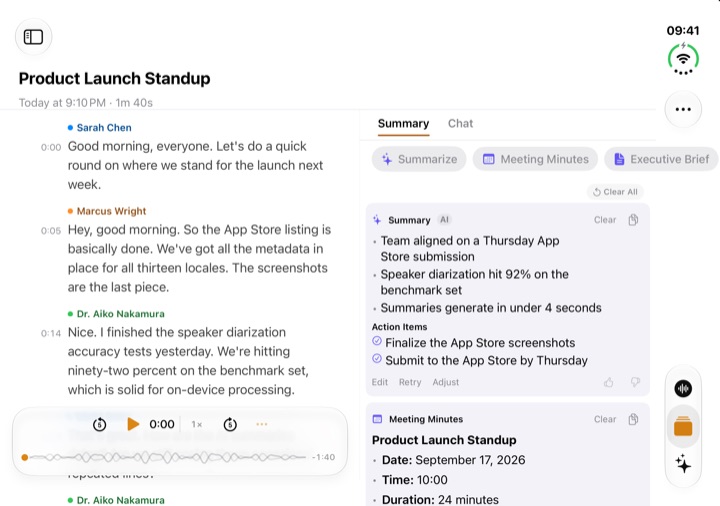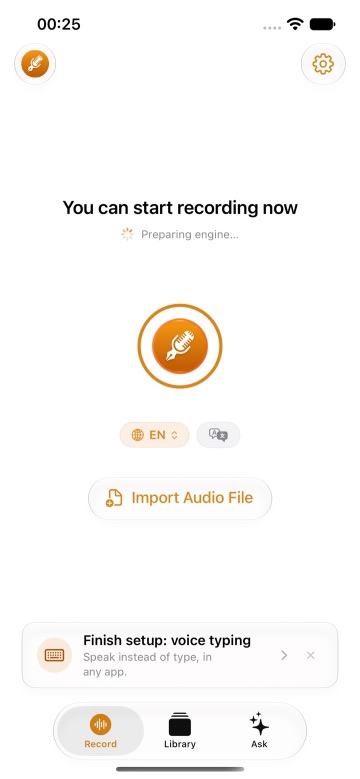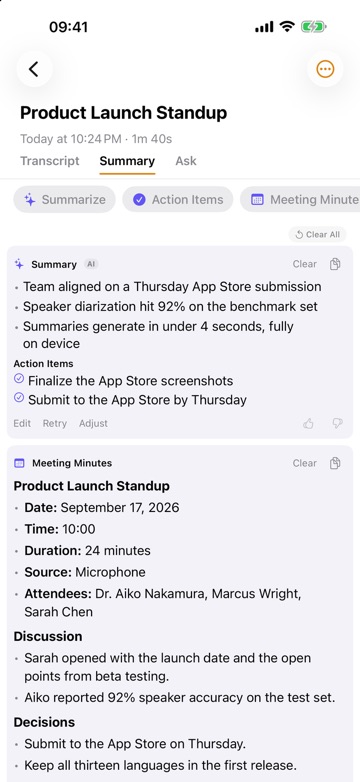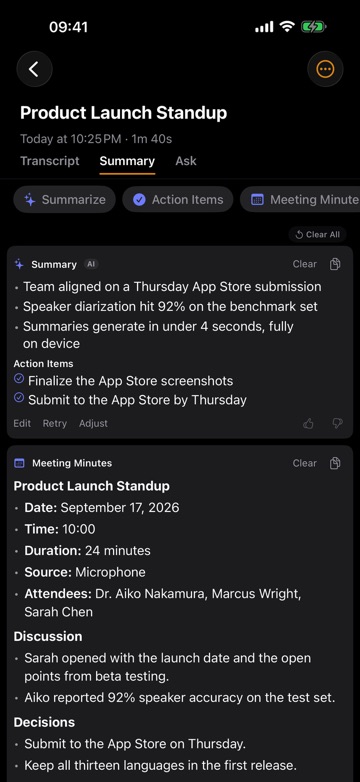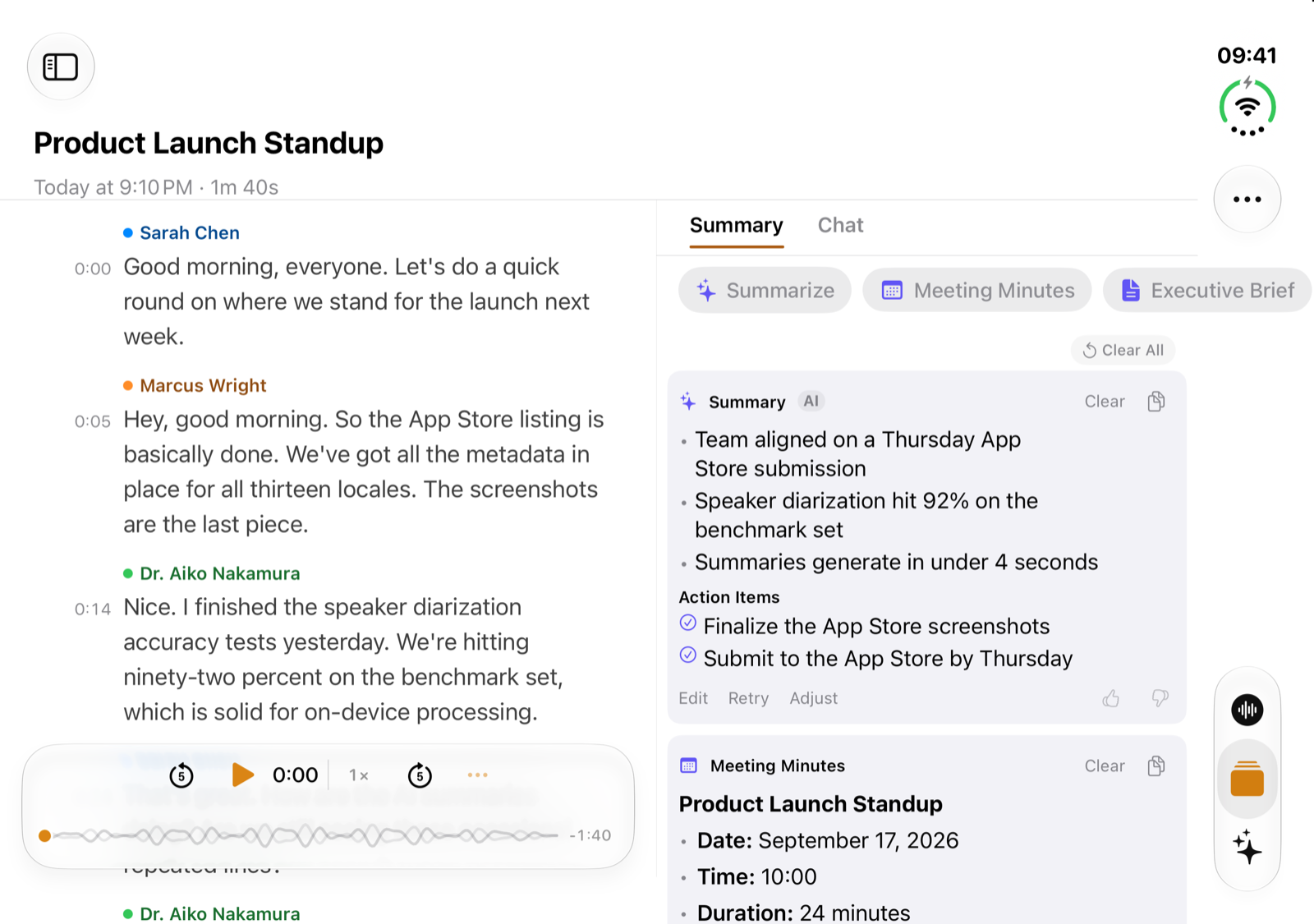
Short answer: ThinkScribe works with iPhone Duo. On the outer display it works like ThinkScribe on iPhone. Open iPhone Duo and hold it sideways, and the inner display shows your Library next to the open recording. Choose Side by Side and the transcript sits next to its Summary and Chat, so you can read what was said and what it adds up to without switching tabs. Held upright, Summary and Chat are one tap away, as on iPhone. Your existing purchase covers it, and there is nothing to set up.
This guide walks through what you see on each display, what changes when you open iPhone Duo, and how to get started.
On the outer display
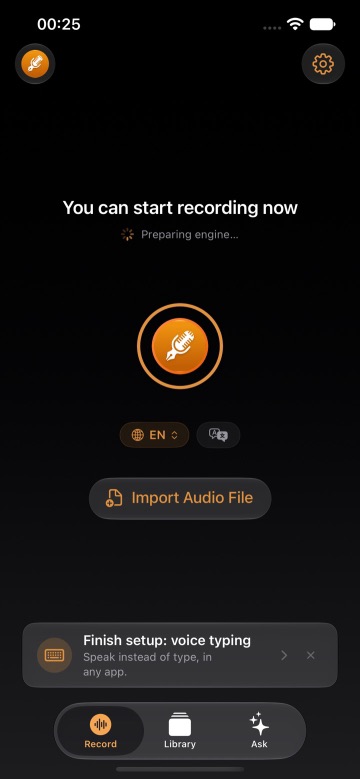
Closed, iPhone Duo runs ThinkScribe the way you know it from iPhone. The Record tab, the Library and Ask are where they always are, with the system side bar along one edge of the screen. Recording, importing a file and reading a transcript work as they do on iPhone, so a quick voice note or a recording at the start of a meeting takes the same one tap.
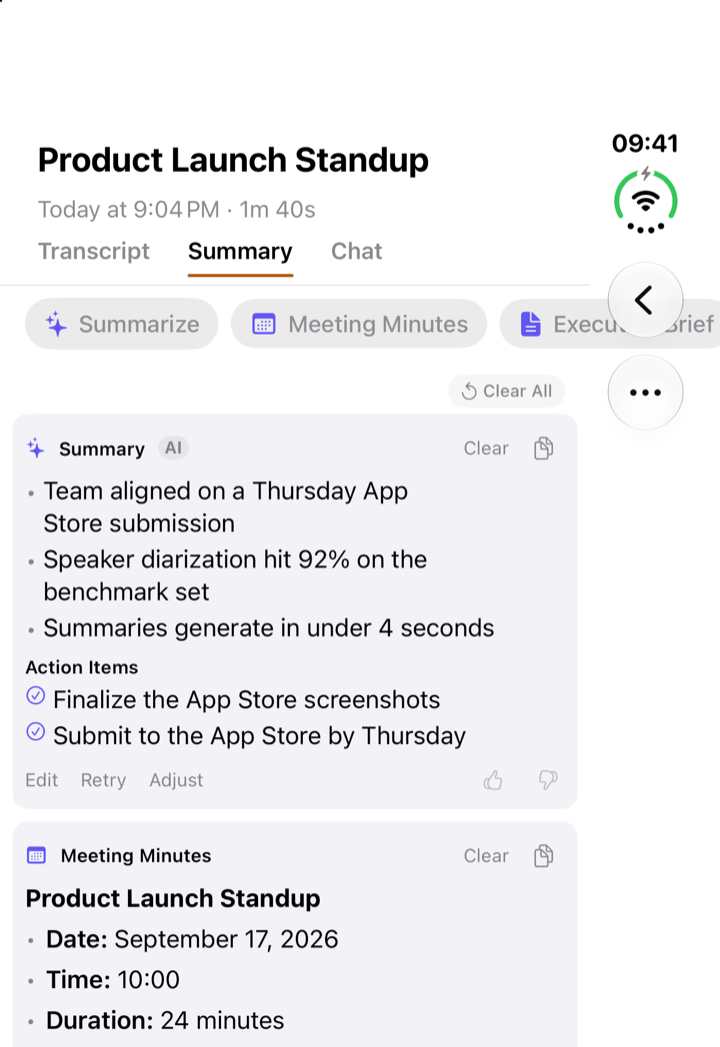
If you are new to the app, getting started with ThinkScribe on iPhone covers the first recording, speaker names and the Summary and Chat tabs. All of it applies on the outer display.
When you open iPhone Duo
Held sideways, the inner display has room for two things at once, and ThinkScribe uses it.
Transcript next to its Summary and Chat
Open iPhone Duo, turn it sideways and open a recording: your Library stays on one side and the recording opens on the other, with Transcript, Summary and Chat as tabs.
To see two of them at once, tap Side by Side at the end of the tab row (it is also in the More menu). The transcript sits on one side, with its Summary or Chat on the other, and the Library list steps aside to give them the room. You can read the summary and its action items with the transcript still in view, or ask a question in Chat without losing your place in the conversation. ThinkScribe remembers the choice: tap Side by Side again to go back to one at a time. The sidebar button brings the list back.
Held upright, the inner display shows the transcript with Summary and Chat one tap away in tabs, as on iPhone.
For what Summary and Chat can do, see summarize and ask questions about a transcript.
The Record screen
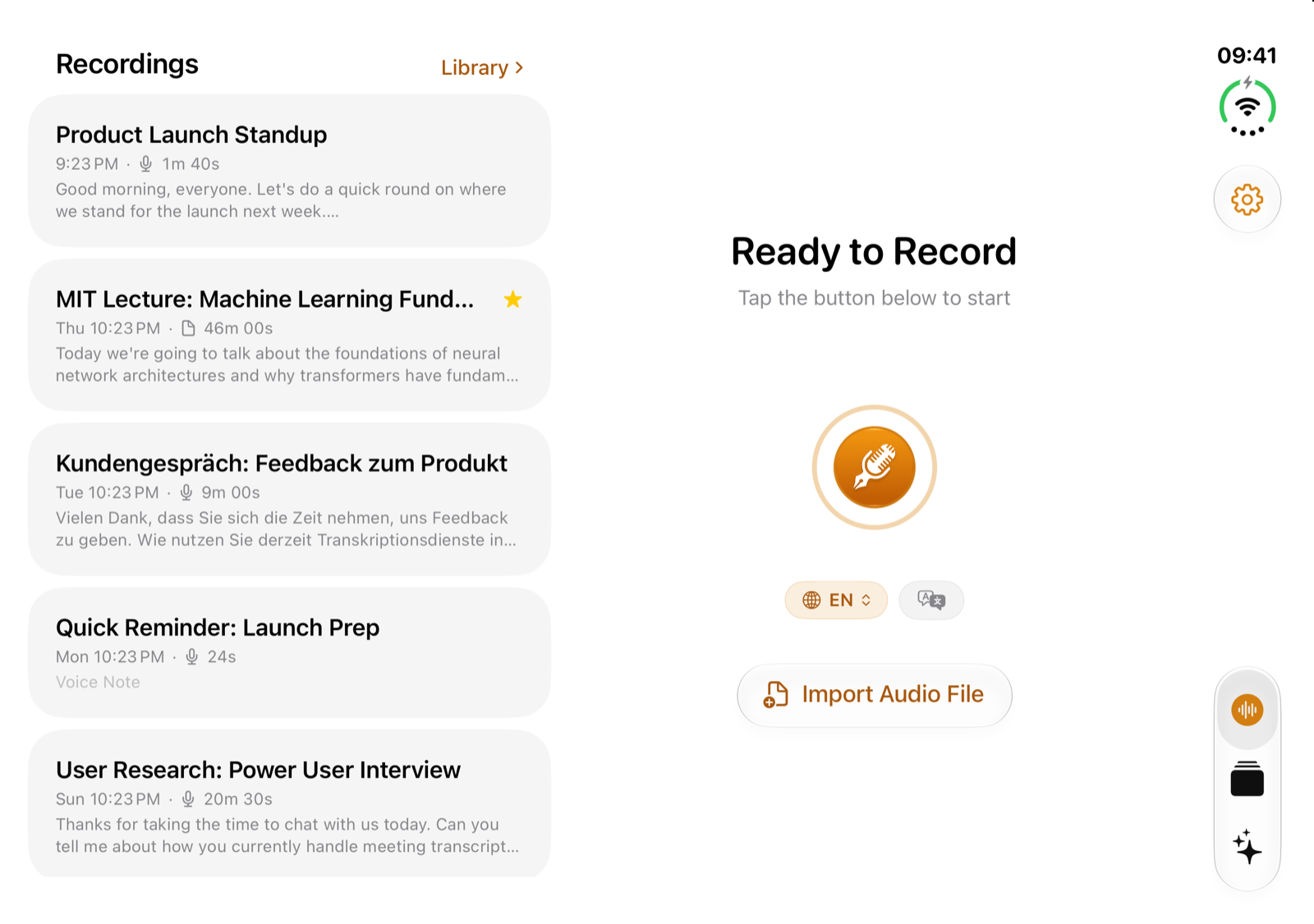
On the inner display, the Record tab shows your recent recordings next to the Record button, so you can start a new recording or open an earlier one from the same screen.
Get started
- Keep ThinkScribe up to date from the App Store. iPhone Duo support is part of the same app; there is no separate download.
- Open ThinkScribe. There is no setting to turn on. The layout follows the display you are using.
- Bring your library with you if you like. If you used ThinkScribe on another iPhone, turn on sync in Settings and your transcripts, summaries, collections and speaker names arrive through your own iCloud account. See sync transcripts between devices.
There is no account to create, and your recordings and transcripts are never sent to us.
One purchase covers it
ThinkScribe is one app with one purchase for Mac, iPhone, iPhone Duo, iPad and Apple Watch. If you already have Pro, a subscription or Lifetime, it works on iPhone Duo with the same Apple Account, with nothing extra to buy. If you are new, the app is free to download, with free uses of every Pro feature to try first.
Frequently asked questions
Does ThinkScribe work on iPhone Duo?
Yes. On the outer display it works like ThinkScribe on iPhone. On the inner display held sideways, your Library sits next to the open recording, and Side by Side puts the transcript next to its Summary and Chat; held upright, Summary and Chat are one tap away in tabs, as on iPhone. The Record screen on the inner display keeps your recent recordings next to the Record button.
Do I need to buy ThinkScribe again for iPhone Duo?
No. The same purchase covers Mac, iPhone, iPhone Duo, iPad and Apple Watch through your Apple Account.
Is there anything to set up?
No. Keep ThinkScribe up to date and open the app. ThinkScribe picks the layout for the display you are using.
Is transcription different on iPhone Duo?
No. Transcription and speaker labels run on the device and work offline, as on any iPhone. What iPhone Duo changes is how much you can see at once.
Can I move my recordings from my old iPhone?
Yes. Turn on sync in Settings on both devices and your library comes across through your own iCloud account, which we cannot read. Audio syncs only if you choose to sync it too.