iPhone Duo, the first foldable iPhone, goes on sale on October 23, 2026. It has a 5.4-inch outer display and a 7.6-inch inner display, and it runs iOS 27.1. Every iPhone app runs on it. What differs is how much of the inner display an app uses, and whether it does anything useful when you open the phone, turn it sideways or fold it part of the way.
This page lists the apps whose developers say they are ready, grouped by what you would use them for. We checked on October 11, 2026, and will keep the list up to date.
We make ThinkScribe, so it is in this list, and it is first in its own category. Every other app is described from its App Store release notes, the developer's own posts, or Apple's announcement.
The short answer
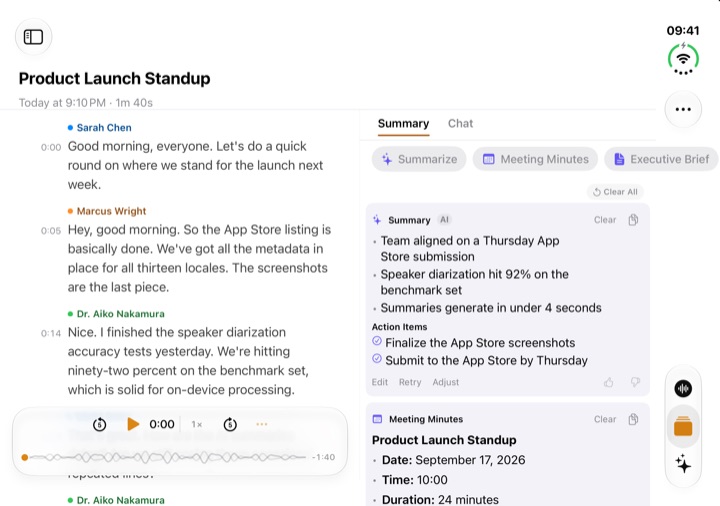
- Recording and transcripts: ThinkScribe. Your Library sits beside the open recording on the inner display, and Side by Side puts the transcript next to its summary.
- Notes and writing: Drafts and Agenda. Both say they are ready in their current App Store versions. Craft's team says it is getting ready for day one.
- Tasks and planning: Kan Do and Finalist. Kan Do puts one column of the board on each side of the fold.
- Meetings and work chat: Zoom and Slack. Apple showed both on iPhone Duo at the announcement.
- Video: Netflix and Detail. Detail records with all three cameras and uses the outer display as a preview.
- Podcasts: Overcast and HearHere.
- Weather: CARROT Weather and Mercury Weather.
- Travel and outdoors: Tripsy and Slopes.
- Still to come: Procreate Pocket, Inoreader, PCalc, Deliveries, Sofa and 24me have announced support without a date.
What every app gets, and what "optimized" adds
Apple's developer guidance is short: "all apps will run on iPhone Duo."
An app that has not been updated appears in the center of the inner display when the phone is open, with empty space around it. An app built for iOS 27.1 fills the display, and Apple describes it as "optimized for iPhone Duo": toolbars and tab bars move to the side, below the status bar, and the app keeps your place as you open and close the phone.
Beyond that, it is up to each developer. The apps below go further in one of three ways:
- Two panes when open. A list on one side and the item you opened on the other, as Apple's Mail does.
- A different layout for each pose. One layout closed, another open, sometimes a third when the phone is partly folded and standing on a table.
- The outer display as a second screen. For example a camera preview for the person you are filming.
iPhone Duo also brings Split View to iPhone for the first time: two apps side by side, or two windows of the same app. That works with any pair of apps that supports resizing, whether or not they have a special layout.
iPhone Duo apps at a glance
| App | For | On iPhone Duo, in the developer's or Apple's words | Status on October 11 |
|---|---|---|---|
| ThinkScribe | Recording, transcripts, AI notes | Library beside the open recording; Side by Side for transcript and summary | In the App Store |
| Drafts | Quick notes, writing | "Ready for iPhone Duo." | In the App Store |
| Agenda | Notes with a calendar | "Half open, the sidebar and your notes sit on each side of the fold." | In the App Store |
| Kan Do | Kanban tasks | "Held open like a book, the board puts one column on each page" | In the App Store |
| Finalist | Daily planner | Each pose keeps its own Daily layout | In the App Store |
| Overcast | Podcasts | "Interface improvements for iPhone Duo" | In the App Store |
| HearHere | Podcasts | "fully supports all orientations" | In the App Store |
| CARROT Weather | Weather | "Added iPhone Duo support. Added multi-window support." | In the App Store |
| Mercury Weather | Weather | "Unfold it to see your locations next to the forecast" | In the App Store |
| Tripsy | Travel planning | "adaptive layouts, toolbars, and navigation" | In the App Store |
| Slopes | Ski tracking | A smaller map when folded, full-screen maps when open | In the App Store |
| Detail | Video recording | "You can record with all three of its cameras" | In the App Store |
| Zoom | Video meetings | Shared content and participants together on the inner display | Shown by Apple |
| Slack | Work chat | "brings a user's whole workspace into view" | Shown by Apple |
| Netflix | Video | Clips on the outer display, full screen when open | Shown by Apple |
| Craft | Notes and documents | A team member says they are "getting ready for Day 1" | Announced |
| Procreate Pocket | Drawing | "We'll need time to test and optimise" | Announced, no date |
| Inoreader | News reader | Unfolded, it "switches to an optimized version of our iPad layout" | Announced |
"In the App Store" means the app's current release notes mention iPhone Duo. "Shown by Apple" means Apple named the app in its announcement; the app's own release notes did not mention iPhone Duo when we checked.
Recording and transcripts: ThinkScribe
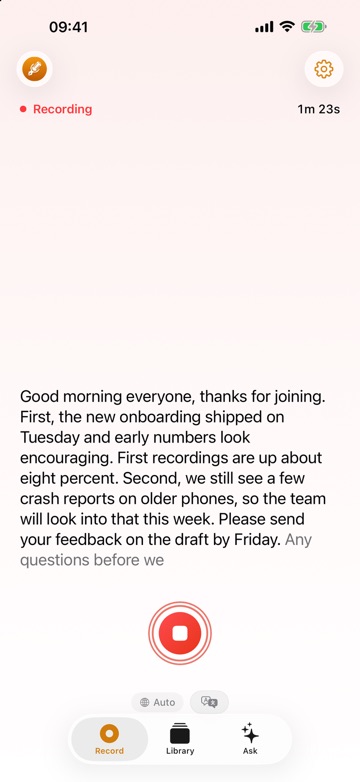
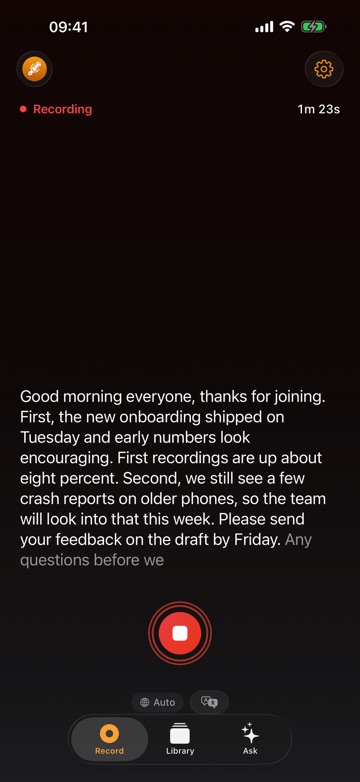
ThinkScribe records meetings, lectures and ideas, transcribes them on the device, and turns the transcript into a summary, notes and answers. There is no account, and your recordings and transcripts are never sent to us.
On iPhone Duo:
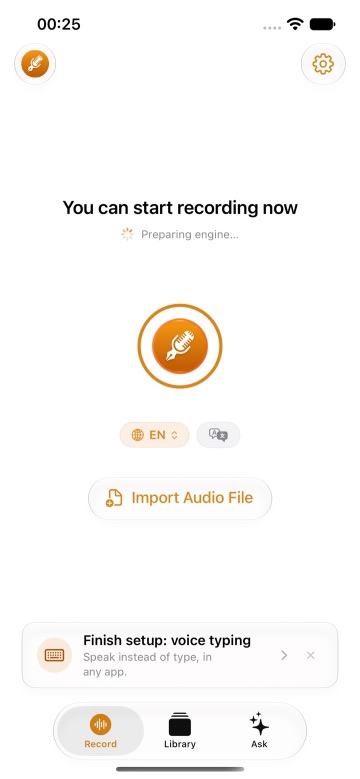
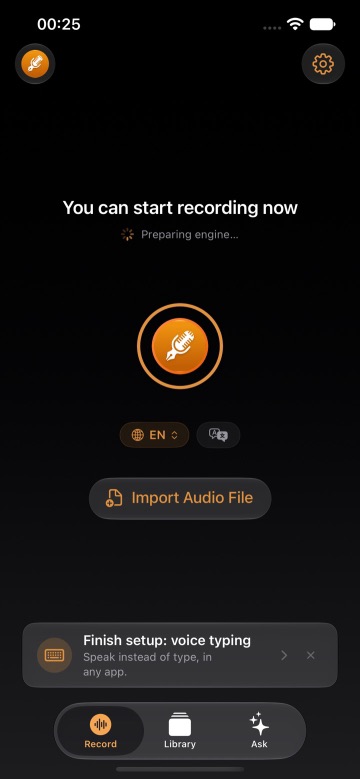
- Outer display. ThinkScribe works as it does on any iPhone, including the voice typing keyboard.
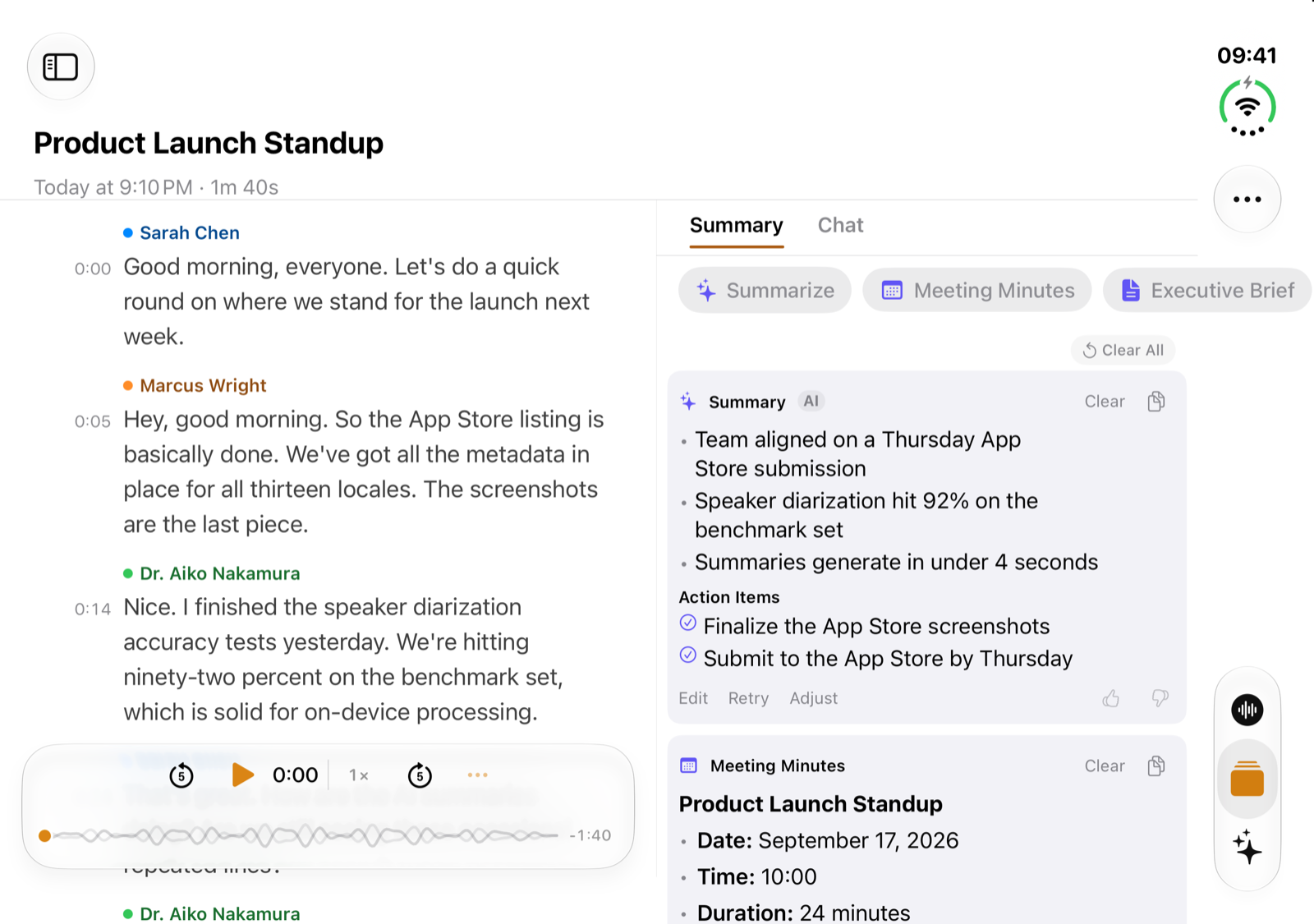
- Inner display, held sideways. Your Library stays on one side and the open recording on the other, so you can move between recordings without going back.
- Side by Side. One button puts the transcript next to its Summary or Chat. Tap a point in the summary and the transcript jumps to where it was said.
- Mind maps. A mind map of the recording opens full screen.
- Record screen. Your recent recordings sit next to the Record button.
The honest limits: there is no special layout yet for the partly folded poses, and ThinkScribe is Apple-only.
One purchase covers iPhone, iPhone Duo, iPad, Mac and Apple Watch. It is free to try, then $9.99 a month, $79.99 a year ($44.99 the first year for new subscribers) or $199.99 once. ThinkScribe on iPhone Duo shows each display with screenshots.
When we checked, no other voice recorder, transcription or meeting notes app mentioned iPhone Duo in its App Store notes or on its site. That covers Otter, Plaud, Granola, Notta, Fireflies, Just Press Record, Whisper Memos, Superwhisper and Wispr Flow. The developer of HoldSay has posted a demo with lecture slides on the top half and a live transcript on the bottom; we could not tell whether it has been released. All of these apps will still run on iPhone Duo.
Notes and writing
Drafts (Agile Tortoise) says only "Ready for iPhone Duo." in version 54.1. Drafts already has a list-and-editor layout on iPad, which is the layout a wide inner display suits.
Agenda (Momenta) is the most specific of the note apps: "Closed, the buttons move into the side column next to the status bar. Half open, the sidebar and your notes sit on each side of the fold."
Craft has not said anything in its release notes. A member of the team posted in September that they "spent the summer getting Craft ready for Day 1".
Notability, Goodnotes, Notion, Bear, Obsidian and Day One had said nothing about iPhone Duo when we checked.
Tasks and planning
Kan Do is "built for iPhone Duo": held open like a book, each page shows one column of the board with the crease between them, and a task you have open stays open when you fold or unfold the phone.
Finalist, a daily planner, says version 4.2 "grew out of a month of designing for iPhone Duo", with a separate Daily layout for each pose.
24me has published design previews of a week view on the inner display. Things, Fantastical and Todoist had announced nothing when we checked.
Meetings, work chat and video
Apple named four apps at the announcement. Zoom "can turn the inner display into an immersive video conference room, so users can see both the content being shared and the other participants". Slack "brings a user's whole workspace into view". Netflix lets you scroll through Clips on the outer display or open the phone for the large screen.
The fourth, Detail, has shipped: it records with all three cameras, and shows a preview and a teleprompter on the outer display for the person in front of the lens.
Microsoft Teams, Outlook, Google's apps and YouTube had announced nothing when we checked.
Podcasts, weather, travel and the rest
- Overcast lists "Interface improvements for iPhone Duo" in its October release.
- HearHere says it "fully supports all orientations".
- CARROT Weather adds iPhone Duo support and multiple windows, so you can keep two places side by side.
- Mercury Weather: "Unfold it to see your locations next to the forecast, and fold it for the familiar iPhone layout."
- Tripsy adds adaptive layouts, toolbars and navigation.
- Slopes uses a compact interface with a smaller map when folded and full-screen maps when open.
- Also updated: Indigo (Bluesky and Mastodon), WaterMinder, Baby Connect and the reader YomiAI.
Apple's own apps
Apple says its apps are optimized for iPhone Duo and has shown a few of them:
- Mail shows the list or the message when closed, and both side by side when open.
- Notes uses two panes, and evens them out on each side of the fold when the phone is partly folded.
- Calculator spreads its keys across the full width.
- Music goes from a stacked layout to two columns.
- Safari can show two windows side by side.
How to tell whether an app is ready
- Read "What's New" on the app's App Store page. Developers who did the work say so, usually in the first line.
- Look at the screenshots. Developers can now add iPhone Duo screenshots to their page; Apple will require them from April 2027.
- Check the date of the last update. An app that has not been updated since early October 2026 was not built for iOS 27.1, and will sit in the center of the inner display.
The independent tracker FoldHunt follows more than 500 apps. On October 10 it listed 382 where the developer says the app supports iPhone Duo.
Frequently asked questions
Do all iPhone apps work on iPhone Duo?
Yes. Apple says all apps will run on iPhone Duo. An app that has not been updated appears in the center of the inner display with empty space around it. An app built for iOS 27.1 fills the display.
What does "optimized for iPhone Duo" mean?
It is Apple's phrase for an app built with the iOS 27.1 tools. Such an app uses the full display, moves its toolbars to the side, and keeps your place when you open or close the phone. Layouts with two panes or a different design for each pose are extra work that each developer chooses to do.
What are the best apps for iPhone Duo?
It depends on the job. On October 11, 2026, the apps that say they are ready include ThinkScribe for recording and transcripts, Drafts and Agenda for notes, Kan Do and Finalist for planning, Overcast for podcasts, CARROT Weather and Mercury Weather, Tripsy for travel, Slopes for skiing and Detail for video. Apple has shown Zoom, Slack and Netflix on it.
Is there a voice recorder or transcription app for iPhone Duo?
ThinkScribe works with iPhone Duo: your Library sits beside the open recording, and Side by Side shows the transcript next to its summary. Apple's Voice Memos runs on iPhone Duo too; Apple has not shown what it looks like there. When we checked, no other transcription app had announced iPhone Duo support.
Can I use two apps side by side on iPhone Duo?
Yes. iPhone Duo brings Split View to iPhone, so two apps, or two windows of the same app, can share the inner display. It works with apps that support resizing.
When can I buy iPhone Duo?
Pre-orders start on Friday, October 16, 2026. It is available from Friday, October 23 in more than 70 countries and regions, and in 28 more from October 30.
Sources
Checked on October 11, 2026.
- Apple: Apple unveils iPhone Duo
- Apple: Prepare your apps for iPhone Duo
- Apple: Designing for iPhone Duo, Human Interface Guidelines
- Apple: Preparing your app for iPhone Duo
- Apple Developer news: iPhone Duo screenshots
- Drafts on the App Store
- Agenda on the App Store
- Kan Do on the App Store
- Finalist on the App Store
- Overcast on the App Store
- HearHere on the App Store
- CARROT Weather on the App Store
- Mercury Weather on the App Store
- Tripsy on the App Store
- Slopes on the App Store
- Detail on the App Store
- Viktor Pali on Craft and iPhone Duo
- Procreate on iPhone Duo
- Inoreader: a first look at Inoreader on iPhone Duo
- 24me: iPhone Duo design previews
- HoldSay demo on iPhone Duo
- FoldHunt: iPhone Duo apps, hand-checked list