A dictation app lets you talk instead of type in any Mac app: an email, a Slack message, a document, a prompt for an AI chat. You press a shortcut, speak, and clean text appears where the cursor is. It pays off most on long replies and detailed AI prompts.
The apps differ in four ways: where your voice is transcribed (on your Mac or on a company's server), how much they tidy up, whether you hold a key or press it, and what they cost over time. We compared the Mac dictation apps that "best of" lists and Mac forums mention most.
We make ThinkScribe, so it is in this list, and it is first. The other apps are described from their own websites, help pages and App Store listings, checked on October 3, 2026.
The short answer
- Best overall: ThinkScribe. Transcribed on your Mac, offline, no account, one-click clean-up and rewrites, and one purchase that also records meetings, transcribes files and covers iPhone.
- Most polished, in the cloud: Wispr Flow. Hold Fn to talk; needs a connection and an account.
- Most customizable: Superwhisper. Rewrite modes with their own shortcuts; AI modes need Pro.
- Free and built in: Apple Dictation. Offline in 48 languages, no clean-up.
- Open source, paid once: VoiceInk. $25 to $49 once.
- Most generous free local app: Spokenly. No word or time limit.
- If you already own it: MacWhisper.
How we compared them
| App | Transcribed on your Mac | Works offline | No account | Hold-to-talk | AI clean-up | Price |
|---|---|---|---|---|---|---|
| ThinkScribe | ✓ | ✓ | ✓ | ✕ press to start and stop | ✓ Clean, Professional, Shorten, AI Prompt | free uses, then $9.99/mo, $79.99/yr ($39.99 the first year for new subscribers) or $199.99 once, one purchase for Mac, iPhone, iPad and Watch |
| Wispr Flow | ✕ cloud | ✕ | ✕ | ✓ | ✓ in the cloud | 2,000 words a week free, then $15/mo or $144/yr |
| Superwhisper | ✓ local models | ✓ | ✓ | ✓ | ✓ mostly cloud | local Whisper free, Pro $8.49/mo, $84.99/yr or $249.99 once |
| Apple Dictation | in 48 languages | in those languages | ✓ | ✕ | punctuation only | free |
| VoiceInk | ✓ | ✓ | ✓ | ✓ | ✓ local or your own AI keys | $25 to $49 once |
| Spokenly | ✓ local models | ✓ | ✓ | ✓ | with Pro or your own AI keys | local free, Pro $9.99/mo or $99.99/yr |
| MacWhisper | ✓ | ✓ | ✓ | not documented | Pro, with your own AI key or a local model | free, Pro about €64 once |
What to check before you choose
- Where the clean-up runs, not just the transcription. Superwhisper transcribes locally, but most of its AI modes send your text to cloud language models. VoiceInk and Spokenly let you pick a local model or your own API key. ThinkScribe runs Clean and its rewrites on ThinkScribe AI or Apple Intelligence.
- Your Mac. ThinkScribe needs an Apple silicon Mac with 16 GB of memory or more and macOS 26, VoiceInk macOS 15. Wispr Flow, Superwhisper and Spokenly also run on Intel Macs and older macOS versions.
- Shortcut clashes. ThinkScribe and Superwhisper both use Option-Space. If you try both, move one, for example ThinkScribe to F5.
- Two years of Pro. Wispr Flow $288; Spokenly $199.98; Superwhisper $169.98, or $249.99 once; ThinkScribe $119.98 ($39.99 the first year for new subscribers), or $199.99 once, with meetings and iPhone, iPad and Apple Watch included; VoiceInk $25 to $49 once.
1. ThinkScribe: best overall
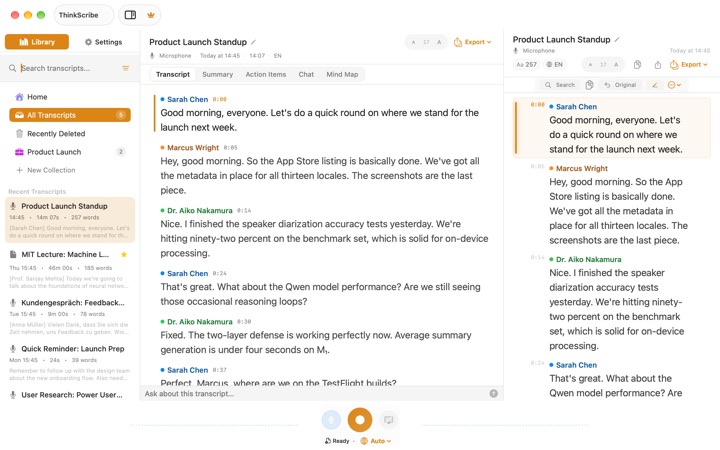
Click into any text field, press Option-Space, speak, and press it again or simply pause. ThinkScribe transcribes on your Mac with Parakeet or Whisper, so it works with Wi-Fi off, needs no account, and what you dictate is never sent to us. With the optional Accessibility permission the text lands at the cursor; without it, ThinkScribe copies it and shows "press ⌘V to paste". It will not type into password fields.
- Clean, not verbatim. The Clean switch, on by default, removes filler words and fixes punctuation before the text lands.
- One-click rewrites. For a few seconds after the text lands, three buttons appear: Professional for a note to a client, Shorten for a reply that ran long, and AI Prompt, which turns a spoken request into a clear prompt for ChatGPT or Claude. Clean and the rewrites run on ThinkScribe AI or Apple Intelligence.
- Names and jargon. Add words under Vocabulary; words you correct three or more times are added for you.
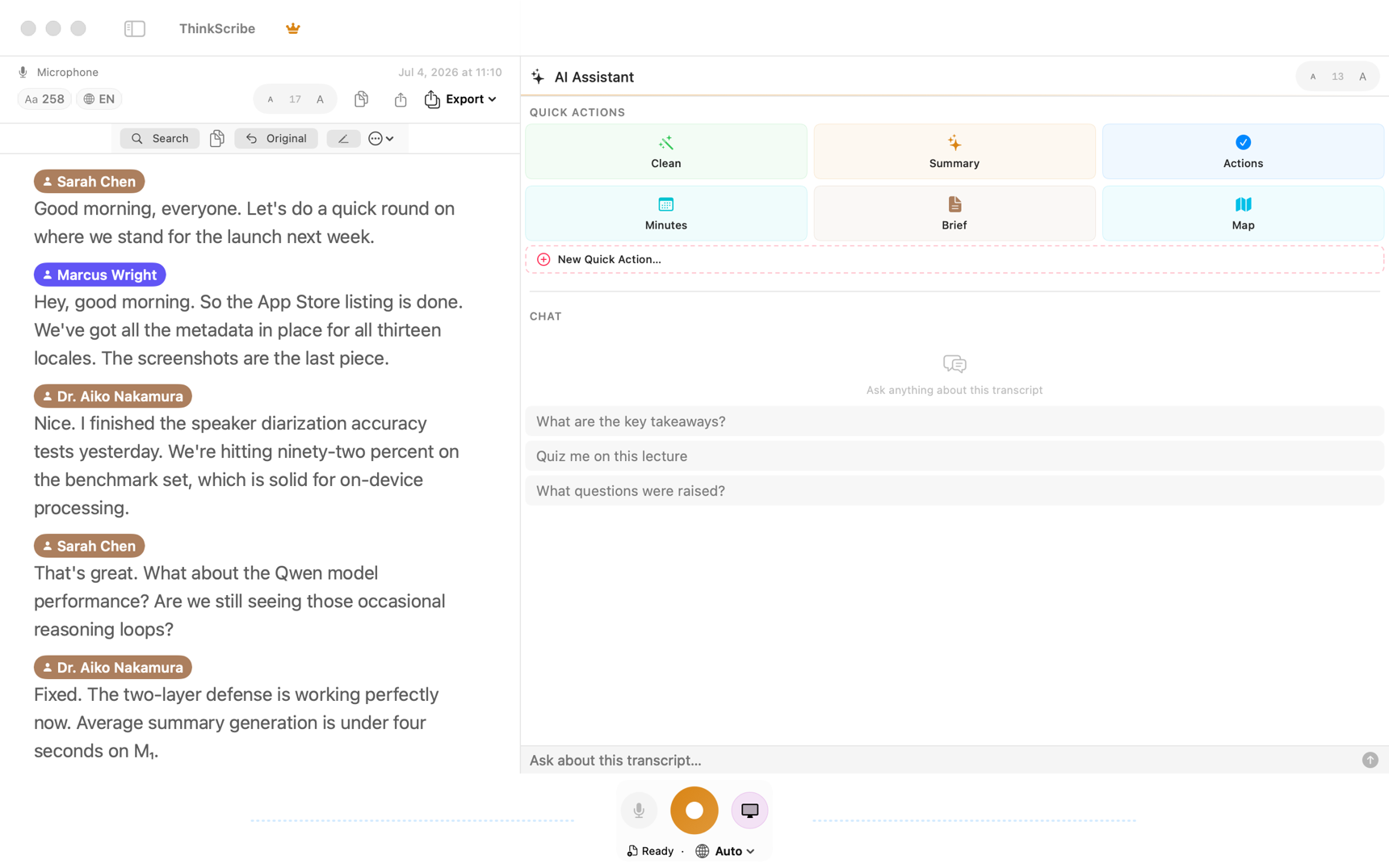
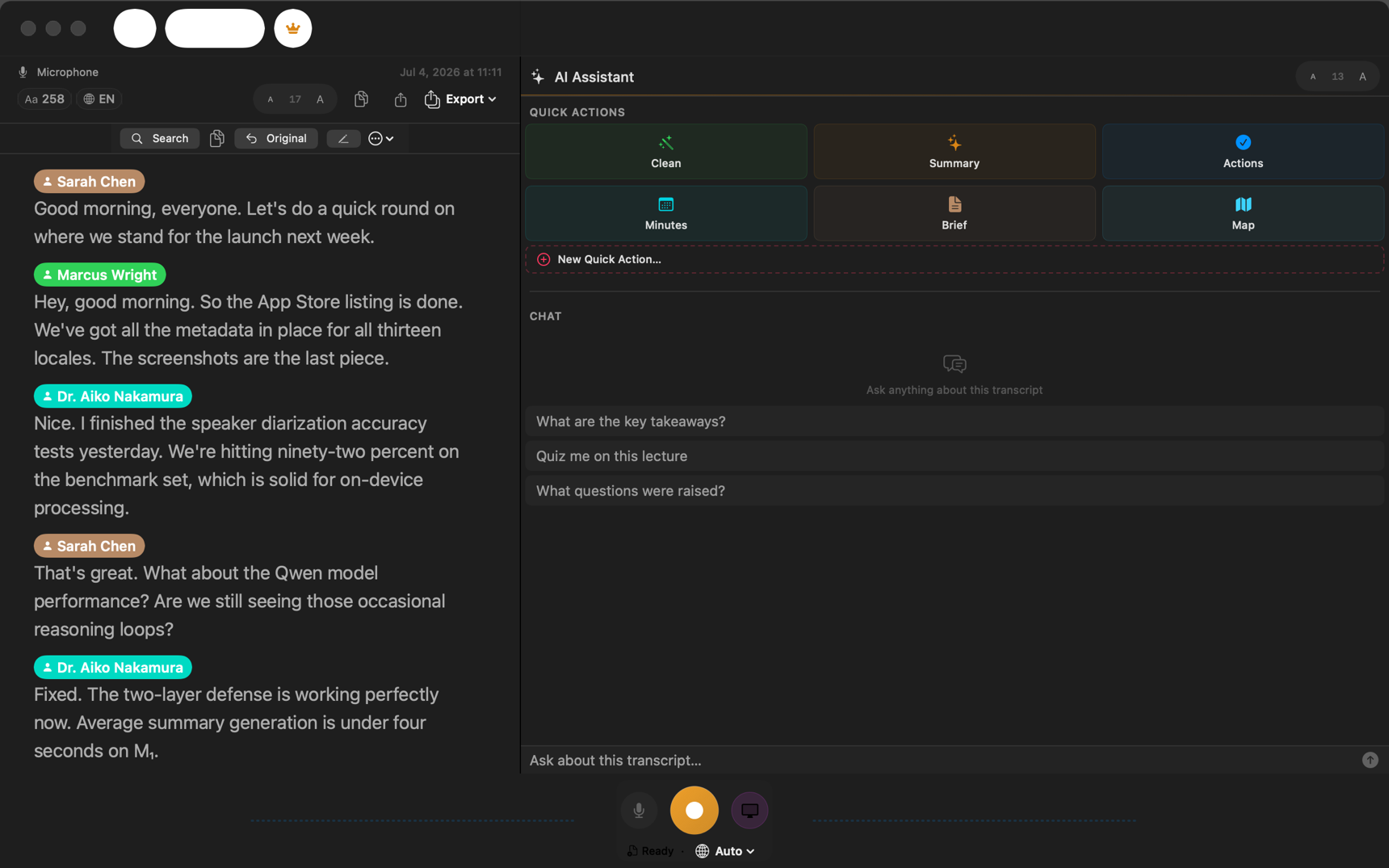
- One purchase, more than dictation. The same app records meetings on the Mac without a bot, transcribes files, remembers speakers by name and writes summaries you can question, with cited answers. It covers iPhone, iPad and Apple Watch too, including the ThinkScribe keyboard on iPhone.
The honest limits: there is no hold-to-talk, though a single function key can be the shortcut and Escape cancels. It needs an Apple silicon Mac with 16 GB of memory or more and macOS 26 or later, dictates in 28 languages where Wispr Flow and Superwhisper list more than 100, and has no per-app writing styles, which VoiceInk, Spokenly and MacWhisper Pro offer.
Choose it if you want offline dictation in any Mac app with one-click rewrites, and one app for your meetings, files and iPhone. Dictate into any Mac app walks through the settings.
2. Wispr Flow: the most polished, in the cloud
Wispr Flow runs on Mac, Windows, iPhone and Android, and its iPhone app is rated 4.8 from more than 16,000 ratings. Hold Fn to talk, or press Fn-Space for hands-free. It removes filler words, handles corrections such as "no, I mean", adapts its style to the app, and Command Mode edits selected text by voice. Its Notetaker records meetings on Mac and Windows.
Transcription always happens in the cloud, so it needs a connection and an account. Its help center says "Improve the model for everyone" is on by default for Free and Pro, while its pricing page says the opposite, so check the setting. The free plan allows 2,000 words a week on the desktop; Pro is $15 a month or $144 a year.
Choose it if you want the most polished clean-up and the cloud is fine. Read ThinkScribe vs Wispr Flow for a side-by-side.
3. Superwhisper: the most customizable
Superwhisper runs on Mac, Windows, iPhone and Android. Since its August 26, 2026 update, every local Whisper model is free on the Mac with no word limit; the local Parakeet and Cohere models and the cloud engines are in Pro. Option-Space toggles recording, push-to-talk is available, and each mode (Message, Mail, Note or your own) rewrites your words differently, with its own shortcut.
AI rewrites need Pro, and most AI modes use cloud language models such as Claude, GPT and Gemini, with a small local clean-up model for English messages and mail. Pro is $8.49 a month, $84.99 a year or $249.99 once, and covers all platforms.
Choose it if you like tuning modes and models, or dictate on Windows too. See ThinkScribe vs Superwhisper.
4. Apple Dictation: the free baseline
Every Mac has dictation: press Fn twice or the microphone key and talk. In 48 languages it runs on the Mac and works offline, and it adds punctuation automatically in 33. macOS 27 brings a better on-device model in English on Macs with M3 or later and at least 12 GB of memory.
It is plain dictation: no filler removal, no rewrite styles, no custom vocabulary and no history, and it stops after 30 seconds of silence.
Choose it if you dictate short messages and want nothing to install. Voice typing on Mac covers both Apple's dictation and the alternatives.
5. VoiceInk: open source, paid once
VoiceInk is an open-source Mac app with more than 6,600 stars on GitHub as of October 2026. It transcribes locally by default with Parakeet, Whisper and other models, offers toggle, push-to-talk, hybrid and double-tap shortcuts, and has a local clean-up model, called Refine, for Apple silicon Macs with 16 GB of memory or more. Custom AI prompts run through Ollama on your Mac or your own cloud API keys, and modes can switch by app. It transcribes files too, but does not record meetings.
Licenses cost $25, $39 or $49 once for one to three Macs, after a 7-day trial; you can also build it from source for free. It needs macOS 15 according to its documentation.
Choose it if you want local dictation with no subscription and like open source.
6. Spokenly: the most generous free local app
Spokenly is free with local Parakeet and Whisper models, with no time, word or session limits and no account. It is on the Mac App Store and as a direct download, runs on Intel Macs, Windows and Linux, gives each mode its own push-to-talk or toggle shortcut (Right Command by default), switches modes by app, and records meetings on macOS 14.4 or later.
AI clean-up needs Pro at $9.99 a month or $99.99 a year (with sign-in), your own API keys, or a local model.
Choose it if you want free local dictation now, with per-app modes when you need them.
7. MacWhisper: if you already own it
MacWhisper is best known for transcribing files, but the version sold on its own website also dictates into any app, free with local models. Pro, a one-time license of about €64, adds higher-quality dictation, grammar fixing and app-specific AI prompts that use your own API key or a local model runner.
Dictation is not available in the App Store edition. The shortcut is configurable, but its docs do not say whether hold-to-talk is supported.
Choose it if you already use MacWhisper for files. See ThinkScribe vs MacWhisper.
Also worth knowing
Willow and Aqua Voice are cloud dictation apps: you hold Fn to talk, and both need an account. Willow is free without limits on a smaller model, $15 a month for Pro, and says it has an offline mode on Mac. Aqua Voice gives 1,000 free words once, costs $10 a month, and has no offline mode.
Which one should you pick?
- Dictation in any app plus meetings, files and iPhone, for one price: ThinkScribe.
- The most polished clean-up, and the cloud is fine: Wispr Flow.
- You want to tune modes and models, or also dictate on Windows: Superwhisper.
- Occasional short dictation: Apple Dictation.
- No subscription, open source: VoiceInk.
- Free local dictation: Spokenly.
- An Intel Mac or a macOS older than 26: Spokenly, Superwhisper or Wispr Flow.
More comparisons: the best dictation apps and keyboards for iPhone, the best offline transcription apps for Mac and the best AI meeting notes apps for Mac without a bot.
Frequently asked questions
What is the best dictation app for Mac?
As of October 2026, ThinkScribe is the best Mac dictation app for most people: it transcribes on the Mac, works offline, needs no account, cleans up and rewrites in one click, and the same purchase records meetings and covers iPhone. Wispr Flow is the most polished cloud option, and Apple Dictation is free and built in.
Is there an offline alternative to Wispr Flow on Mac?
Yes. ThinkScribe, VoiceInk, Spokenly and MacWhisper transcribe on the Mac without an internet connection, and so does Superwhisper with its local models. Willow says it has an offline mode on Mac. Wispr Flow and Aqua Voice always need a connection.
Does Mac dictation work offline?
Apple Dictation works offline in 48 languages once the speech model has downloaded; other languages need Apple's servers. ThinkScribe dictation works offline in all 28 of its languages, and Superwhisper, VoiceInk and Spokenly work offline with their local models.
Which Mac dictation apps support hold-to-talk?
Wispr Flow, Superwhisper, VoiceInk, Spokenly, Willow and Aqua Voice support hold-to-talk. ThinkScribe and Apple Dictation are press to start, press to stop; ThinkScribe also stops by itself after a pause.
Can I dictate into any app on a Mac?
Yes. Mac dictation apps type into whatever field has the cursor: Mail, Slack, Word, a browser, a code editor. Most need the Accessibility permission to insert text directly; without it, ThinkScribe copies the text for you to paste with Command-V.
Sources
Checked on October 3, 2026.
- Apple: dictate on Mac
- Apple: macOS feature availability
- Wispr Flow pricing
- Wispr Flow data controls
- Wispr Flow: privacy mode and model training
- Superwhisper plans
- Superwhisper voice models
- Superwhisper changelog
- VoiceInk
- VoiceInk on GitHub
- Spokenly pricing
- Spokenly dictation for Mac
- MacWhisper
- MacWhisper dictation
- Willow pricing
- Aqua Voice for Mac