A voice recorder that transcribes gives you the words, not just the audio: a meeting you can search, an interview you can quote, a lecture you can revise from. You can get one in two forms. A dedicated device, such as a Plaud or a Philips recorder, sits on the table and records on its own. An app turns the phone, tablet or watch you already carry into the recorder.
The question that matters is where the speech becomes text. Most recorders and apps upload the audio and transcribe it on a server, with a monthly allowance of minutes. A few do it on your own device, with no allowance at all.
We make ThinkScribe, so it is in this list, and it is first. The other products are described from their own websites, help pages, store pages and App Store listings, checked on October 3, 2026.
The short answer
- Best overall if you have an Apple device: ThinkScribe. Records on iPhone, iPad, Mac or Apple Watch, live text, transcribed on the device with speaker names, no account, no minute allowance.
- Free and already on your iPhone: Apple Voice Memos. Live transcript, no speaker names.
- Best dedicated device: Plaud Note. Records on its own and picks up phone calls; transcribed in Plaud's cloud.
- Cheapest one-time app: Whisper Notes. $7.99, transcribed on the device.
- Cloud services: Otter and Notta.
- Files and many languages: Happy Scribe.
- A classic recorder (Philips, Sony): records well, but the text comes from software or a service you add.
How we compared them
| Product | What you buy | Transcribed where | Live text | Speaker names | Free transcription |
|---|---|---|---|---|---|
| ThinkScribe | app for iPhone, iPad, Mac, Watch | ✓ on your device | ✓ | ✓ remembered | free uses, then no minute limit |
| Apple Voice Memos | built in | on your device | ✓ | ✕ | ✓ free |
| Plaud Note | $159 device | cloud | ✕ | ✓ | 300 min/month |
| Whisper Notes | $7.99 app | on your device | ✕ | ✓ | one purchase |
| Otter | app, account | cloud | ✓ | ✓ | 300 min/month, 30 min each |
| Notta | app, account | cloud | ✓ | ✓ | 120 min/month, 3 min each |
| Happy Scribe | web and app, account | cloud (EU) | ✕ | ✓ | 10-minute trial |
| Philips VoiceTracer | about €150 device | add-on service or Windows software | ✕ | with the service | 30-day service trial |
Device or app?
A dedicated recorder wins when you need hours of battery that is not your phone's, one button and no unlocking, or phone calls: Plaud Note and Note Pro pick up a call through a sensor pressed against the back of the phone. Your phone stays free while it records.
An app wins on everything else: nothing extra to buy, charge or forget, the transcript appears on the screen you already look at, and with an on-device app there is no upload and no monthly minute count. If you mostly record meetings, lectures, interviews and your own notes, an app is usually enough. The best Plaud alternatives goes deeper into that choice.
1. ThinkScribe: best overall if you have an Apple device
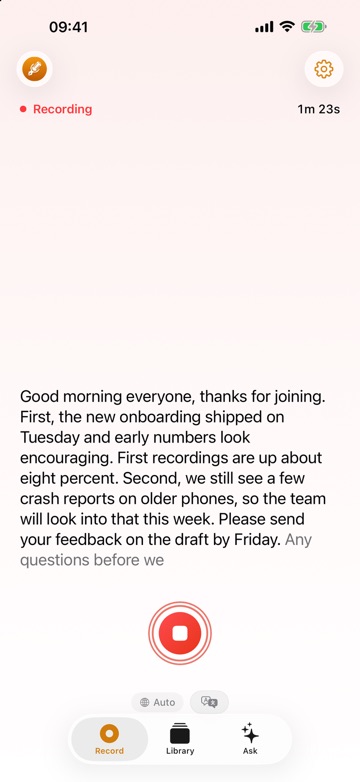
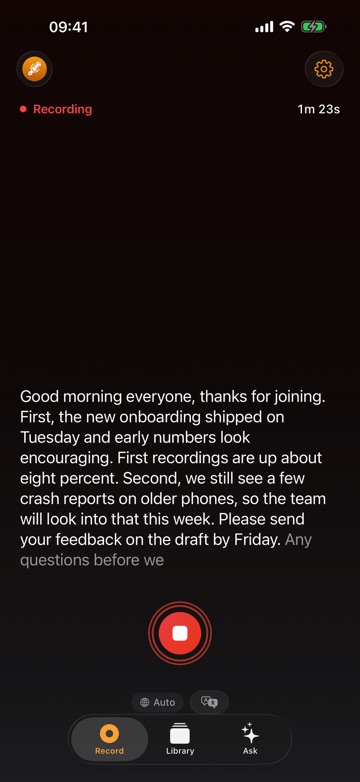
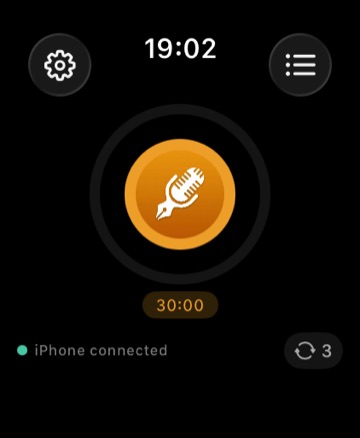
ThinkScribe turns your iPhone, iPad, Mac or Apple Watch into the recorder. Start from the app, the Lock Screen, Control Center, Siri or the watch, and the words appear while people talk. When you stop, the transcript is made on your device: it works offline, there is no account, and your recordings are never sent to us.
- More than 90 languages with automatic detection, or one of 28 you pick from the menu.
- Who said what. Speakers are labeled, and a voice you name once is recognized in later recordings.
- Notes from the recording. Summaries, action items, minutes, a mind map, and a chat that answers questions with citations, on ThinkScribe AI or Apple Intelligence.
- Real files. Export TXT, SRT and VTT subtitles, Markdown, JSON and PDF, plus Word on the Mac.
- No meter. A three-hour meeting costs the same as a voice note: $9.99 a month, $79.99 a year ($39.99 the first year for new subscribers) or $199.99 once, after free uses, with one purchase for iPhone, iPad, Mac and Apple Watch.
The honest limits: it is Apple-only, it does not record phone calls on the iPhone, and a long recording uses your phone's battery. The recording keeps going if you switch apps; the live text pauses until you come back.
Choose it if you want a recorder that gives you the text, the speakers and the notes, on devices you already own.
2. Apple Voice Memos: the free baseline
Voice Memos is already on every iPhone, iPad and Mac. It transcribes on the device in ten languages, shows the text live as you record, and lets you search across your memos. On iPhone 15 Pro and later, Apple Intelligence can summarize a recording. It also records on Apple Watch.
There are no speaker names, and the transcript can only be copied, not exported as a file. Apple's Notes app records too and can record phone calls with a transcript, but call recording is not available in the European Union and some other countries.
Choose it if you need the occasional transcript and nothing more.
3. Plaud Note: the best dedicated device
Plaud Note is a card-sized recorder that sticks to the back of a phone, with NotePin as the wearable version. It records on its own for many hours and, on Note and Note Pro, picks up phone calls through a vibration sensor. The app transcribes in 112 languages with speaker labels and exports TXT, SRT, Word and PDF.
Transcription and summaries run in Plaud's cloud, so you need a connection and an account, and there is no live transcript. Devices cost $159 to $189; the free plan includes 300 minutes a month, and Pro is $17.99 a month or $8.33 a month billed yearly for 1,200 minutes.
Choose it if you want a separate device, or you record phone calls where your phone cannot.
4. Whisper Notes: the cheapest one-time app
Whisper Notes costs $7.99 once on the App Store for iPhone, iPad and Mac. It transcribes on the device and offline, labels two to six speakers, and exports text, SRT and VTT.
It has no live transcript while you record, AI summaries are Mac only, and there is no sync between devices.
Choose it if you want on-device transcription with speakers for the lowest price.
5. Otter and Notta: the cloud services
Otter transcribes live, learns speakers you tag and writes summaries. The free plan includes 300 minutes a month with a 30-minute cap per recording; Pro is $16.99 a month or $8.33 a month billed yearly. Notta transcribes in 58 languages and labels speakers, but its free plan stops after three minutes per recording; Pro is $97.99 a year.
Both process audio in the cloud and need an account; neither works offline on iPhone.
Choose it if your team already shares notes in one of them.
6. Happy Scribe: files and many languages
Happy Scribe, a Spanish company, transcribes uploaded files and recordings from its app in more than 150 languages from EU-hosted servers, with speaker detection, many export formats and an option to order a human transcript.
The free tier is a 10-minute trial; paid plans start at €17 a month, or €8.50 a month billed yearly.
Choose it if you need an unusual language or a human-checked transcript.
7. Classic recorders: Philips VoiceTracer and Sony
A classic digital recorder such as the Philips VoiceTracer or the Sony ICD-UX570 records very well, but does not turn speech into text by itself. Philips bundles a 30-day trial of the Sembly cloud service with recent VoiceTracer models (around €150 in Europe), and its speech-recognition software runs on Windows. Sony's recorders have no transcription.
Choose it if sound quality and a physical device matter more than getting text, or you already have a transcription service.
Which one should you pick?
- Text, speaker names and notes on the iPhone, iPad, Mac or Watch you own: ThinkScribe.
- A transcript now and then, for free: Apple Voice Memos.
- A separate device that also records phone calls: Plaud Note.
- The lowest one-time price: Whisper Notes.
- A team that already lives in the cloud: Otter or Notta.
- Rare languages or a human transcript: Happy Scribe.
More comparisons: the best voice recorder apps with transcription for iPhone, the best Plaud alternatives and the best apps to transcribe audio and video files.
Frequently asked questions
What is the best voice recorder that transcribes to text?
As of October 2026, ThinkScribe for anyone with an iPhone, iPad, Mac or Apple Watch: it records, shows a live transcript and transcribes on the device in more than 90 languages, with speaker names, no account and no minute allowance. Plaud Note is the best dedicated device, and Apple Voice Memos is the free option.
Is there a voice recorder that transcribes offline?
Yes. ThinkScribe, Whisper Notes and Apple Voice Memos transcribe on the device without a connection. Plaud, Otter, Notta and Happy Scribe need an internet connection to transcribe.
Do classic digital voice recorders transcribe?
Not by themselves. A Philips VoiceTracer or Sony recorder records audio; the text comes from software or a cloud service you add, such as the Sembly trial Philips includes. AI recorders such as Plaud transcribe through their own app and cloud.
Can a voice recorder transcribe phone calls?
Plaud Note and Note Pro record calls through a vibration sensor on the back of the phone. Apple's Notes app records calls with a transcript in many countries, but not in the European Union. ThinkScribe does not record phone calls on the iPhone; on a Mac it records Zoom, Teams and Meet calls without a bot.
Sources
Checked on October 3, 2026.