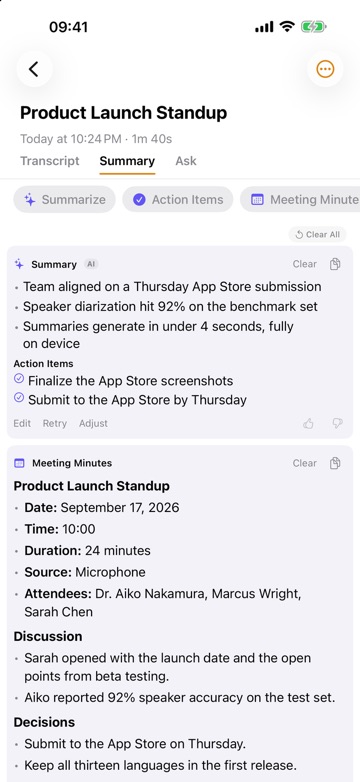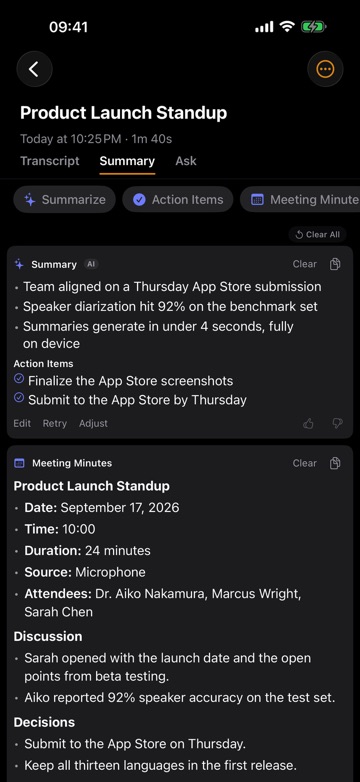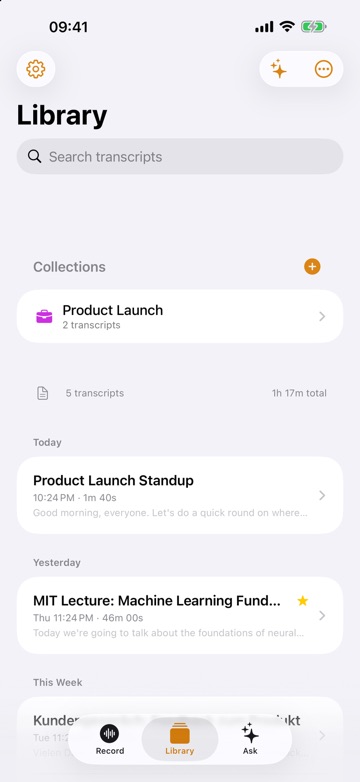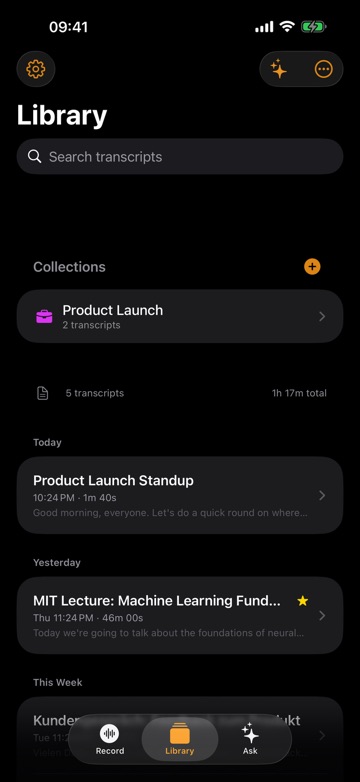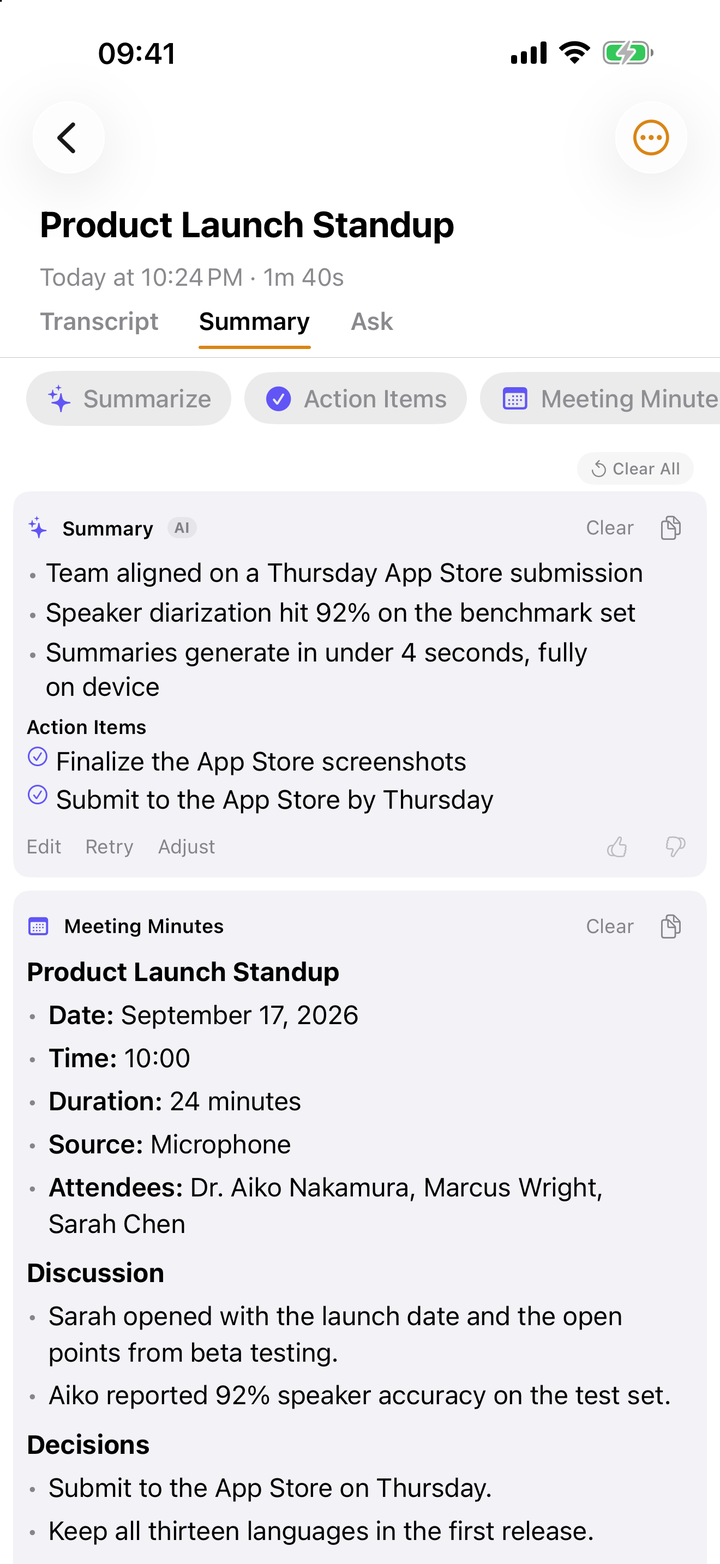
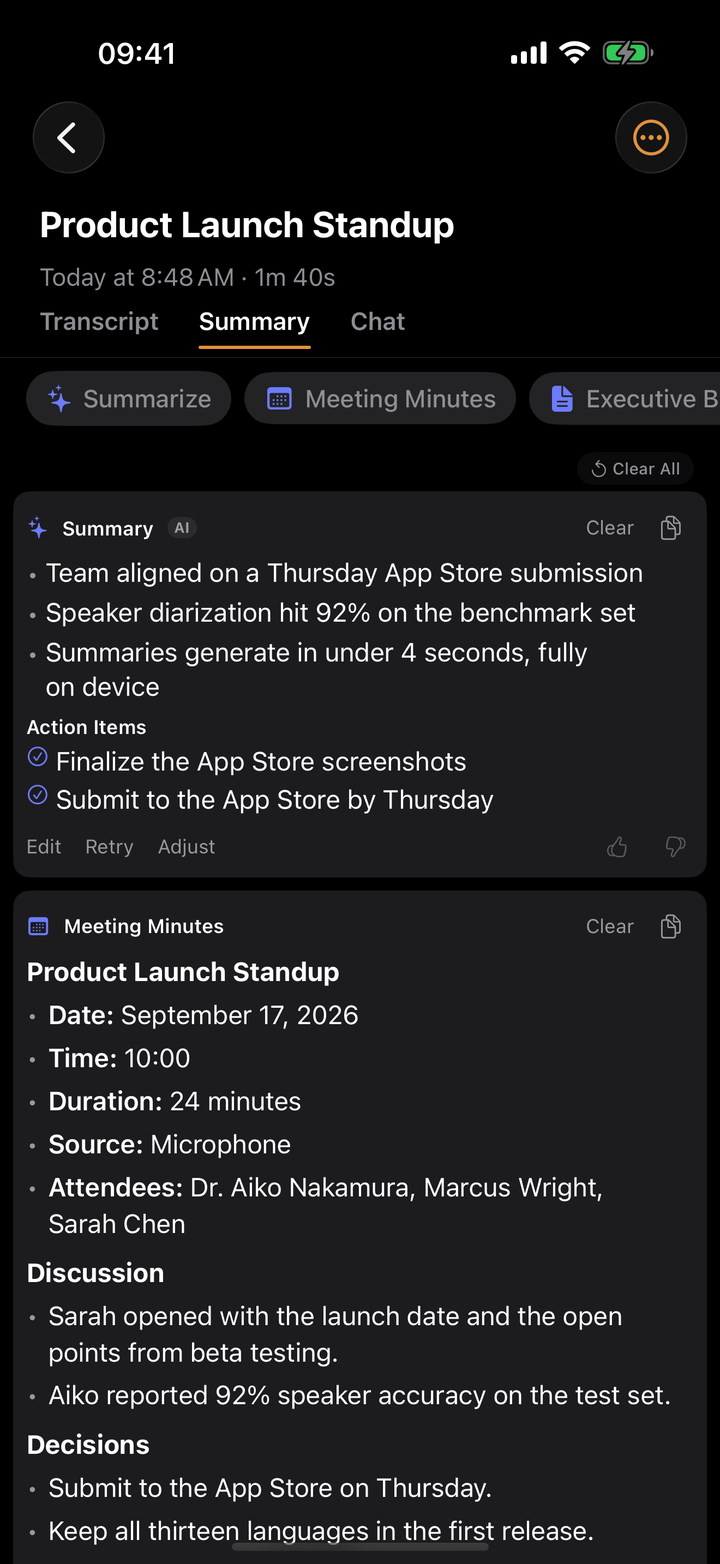
Recording a lecture is easy. What makes the recording worth having is what you can do with it afterwards: find the five minutes where the lecturer explained the hard part, read it instead of replaying it, and turn ninety minutes into notes you can revise from.
Lecture apps take two approaches. Note-taking apps such as Notability and Goodnotes record audio while you write and link your notes to the moment you wrote them. Transcription apps turn the whole lecture into text you can search and summarize. We compared the apps named most often in nine "best lecture app" articles we read on October 3, 2026, for students on iPhone, iPad and Mac.
We make ThinkScribe, so it is in this list, and it is first. The other apps are described from their own websites, help pages and App Store listings, checked on October 3, 2026.
The short answer
- Best overall for transcripts: ThinkScribe. It records on iPhone, iPad, Mac or Apple Watch, transcribes on the device with no length cap, searches every lecture of the term at once, and drafts summaries, mind maps and revision questions with citations.
- Best for handwritten notes linked to audio: Notability, with cloud transcripts on the $19.99-a-year Plus plan.
- Best value for handwritten notes: Goodnotes, $11.99 a year for unlimited recording and on-device transcripts.
- For classes under 90 minutes, in English: Otter.
- Free and built in: Apple Notes and Voice Memos.
- Cloud with a student discount: Notta, $48.99 for a year of Pro.
- If your school runs on Microsoft: OneNote, which does not transcribe on Mac, iPad or iPhone.
How we compared them
| App | Full transcript | Transcribed where | Length limit | Notes linked to audio | Study aids | Price |
|---|---|---|---|---|---|---|
| ThinkScribe | ✓ live and after | ✓ on your device | none | ✕ | summary, mind map, questions, chat | free uses, then $9.99/mo or $79.99/yr ($39.99 the first year for new subscribers), one purchase for iPhone, iPad, Mac and Watch |
| Notability | Plus plan | cloud | none, splits hourly | ✓ handwriting and typing | quizzes, flashcards, summaries | Plus $19.99/yr list |
| Goodnotes | ✓ live | on your device (recent models) | 20 min per notebook free; transcript stops at 3 h | ✓ Note Replay | quizzes, Q&A, basic summary | Essential $11.99/yr |
| Otter | ✓ live | cloud | 30 min free, 90 min Pro | ✕ | summaries, chat | Pro $99.99/yr, $79.99 for students |
| Apple Notes and Voice Memos | ✓ live | on your device | none | typing alongside, not linked | Apple Intelligence summary | free |
| Notta | ✓ live | cloud | 3 min free, 5 h Pro | ✕ | summaries | Pro $48.99/yr for students |
| OneNote | ✕ on Apple devices | n/a | n/a | on some platforms | Copilot with a work licence | free app |
1. ThinkScribe: best overall for transcripts
Put your iPhone on the desk facing the front, tap record, and the words appear as the lecturer speaks. When you stop, ThinkScribe makes the full transcript on your device, so a lecture hall with no Wi-Fi is no problem. There is no account, no per-minute fee and no recording cap, and your recordings are never sent to us. You can also import a recording your university provides.
- Search the whole term. One search looks through the text of every lecture and plays the audio from the line it finds, so "she mentioned an exception somewhere" becomes a query.
- Notes from the transcript. Summarize a lecture, see its topics as a mind map, and ask it for "the definitions from this lecture" or "ten revision questions", with citations that jump to the line.
- One collection per module. Group a term's lectures and ask one chat across all of them before the exam.
- Seminars and questions. Speakers are labelled, so a question and its answer are separate lines.
- Subject vocabulary. Add drug names, case names or theorem names once and the module's transcripts improve.
- Every Apple device, one purchase. Record on iPhone or iPad, record an online class on a Mac from the sound of Zoom, Teams or Meet with no bot joining, and record your own voice notes on Apple Watch. Free to try, then $9.99 a month, $79.99 a year ($39.99 the first year for new subscribers) or $199.99 once.
The honest limits: you cannot handwrite in ThinkScribe or link your own notes to the audio, there are no ready-made flashcards, the mind map needs a recent device with more memory, and it is Apple-only. For languages, pick one of 28 in the menu or leave it on automatic detection, which covers more than 90.
Choose it if you want every lecture as searchable text and notes drafted for you, without sending classmates' voices to a cloud transcription service. Record a lecture and turn it into study notes shows the routine.
2. Notability: handwritten notes linked to the audio
Notability is rated 4.8 from more than 450,000 reviews and is built around the iPad and Apple Pencil. While it records, everything you write, type or paste is linked to that moment, so tapping a word in your notes plays what the lecturer was saying.
Transcription needs the Plus plan and an internet connection, and arrives after the recording; live transcription is in Pro. Plus also includes up to 400 AI quizzes and flashcards a month. Plans are $14.99 (Lite), $19.99 (Plus) and $99.99 (Pro) a year at list price, with a sale running on October 3. The free plan allows five notes, speaker labels are not documented, and transcripts can be copied but not exported.
Choose it if you take handwritten notes on an iPad and want to jump from a note to the audio.
3. Goodnotes: the best value for handwritten notes
Goodnotes, rated 4.7 from more than 450,000 reviews, is Notability's closest rival. It transcribes live as you record, on the device and offline on recent iPhones, iPads and Apple silicon Macs, and Note Replay replays your handwriting in sync with the audio. It can generate quizzes and answer questions about your notes.
The free plan caps audio at 20 minutes per notebook. Essential, at $11.99 a year, removes the cap; Pro, at $35.99, adds cloud transcription and live summaries. Transcription stops after three hours, and it cannot transcribe recordings you import.
Choose it if you want handwriting linked to audio and a transcript for the lowest yearly price.
4. Otter: for short classes in English
Otter appears in every "best lecture app" list we found. It transcribes live in the cloud, labels speakers, writes summaries and answers questions about a recording, and has a 4.8 rating from more than 80,000 reviews.
Its caps matter for lectures: 30 minutes per recording on the free plan and 90 minutes on Pro, so a two-hour lecture needs Business. Pro costs $16.99 a month or $99.99 a year, with 20% off for students with a .edu address ($79.99 a year). It transcribes six languages and needs an account.
Choose it if your classes are under 90 minutes, in English, and the cloud is acceptable.
5. Apple Notes and Voice Memos: free and built in
Both apps record and transcribe on the device in ten languages and show the transcript live. Voice Memos searches the transcripts of all your recordings; Notes finds words within one recording. In Notes you can type in the same note while it records, and iPhones with Apple Intelligence (iPhone 15 Pro or later) can summarize a recording. Voice Memos also records on Apple Watch.
There are no speaker labels, your typed notes are not linked to points in the audio, Voice Memos transcripts can only be copied, and there are no study tools beyond a summary.
Choose it if you want a free transcript and are happy to make notes yourself.
6. Notta: cloud transcription with a student discount
Notta transcribes live or from uploaded files in 58 languages, labels speakers and writes summaries, on iPhone, iPad, Mac and Apple Watch. Students and faculty get 50% off Pro, which makes it $48.99 for a year.
The free plan stops at three minutes per recording, so it is a trial rather than a lecture tool, and export is a Pro feature. Transcription runs in the cloud on iPhone.
Choose it if you need a less common language and want a cloud service at a student price.
7. OneNote: free, but no transcription on Apple devices
Many schools give students Microsoft 365, and OneNote can record audio. But Microsoft's Transcribe feature is only available on Windows and the web, not on Mac, iPad or iPhone, and Copilot in OneNote on Mac and iPad needs a work licence.
Choose it if your notes must live in OneNote and you transcribe on a Windows PC.
Which one should you pick?
- Every lecture as searchable text, with summaries and revision questions drafted for you: ThinkScribe.
- Lectures longer than 90 minutes, or recordings you would rather not upload: ThinkScribe.
- You handwrite on an iPad and want notes linked to the audio: Notability, or Goodnotes for less.
- A free transcript now and then: Apple Notes or Voice Memos.
- Short English classes, cloud is fine: Otter.
- A language ThinkScribe does not transcribe: Notta.
A weekly routine that turns recordings into revision
Ten minutes a week turns a pile of recordings into revision:
- Same day: rename the recording with the module and topic, fix the two or three subject terms the transcript got wrong, and make a summary.
- End of the week: ask for five questions on that week's lectures, answer them without notes, then check yourself against the cited lines.
- Before the exam: search the term for each topic on the syllabus and replay only the passages you got wrong.
In ThinkScribe, steps 2 and 3 run across the module's collection, so one chat and one search cover the term. When you record, sit near the front, keep your hand off the phone and start before the first sentence: distance and handling noise hurt a transcript more than the app does.
More: search inside audio recordings, summarize and ask your transcripts and the best voice recorder apps with transcription for iPhone.
Frequently asked questions
What is the best app to record and transcribe lectures?
For a full, searchable transcript, ThinkScribe: it records on iPhone, iPad, Mac or Apple Watch, transcribes on the device with no length cap or account, and drafts summaries and revision questions with citations. If you handwrite notes on an iPad, Notability or Goodnotes link your notes to the audio.
Can I record a two-hour lecture?
With ThinkScribe, Notability, Goodnotes (on a paid plan), Voice Memos and Notes, yes. As of October 2026, Otter stops at 30 minutes on its free plan and 90 on Pro, and Notta's free plan at three minutes.
Is there a lecture transcription app that works offline?
Yes. ThinkScribe, Goodnotes on recent devices, Apple Notes and Voice Memos transcribe on the device without Wi-Fi. Notability, Otter and Notta need a connection to transcribe.
Which lecture app makes flashcards and quizzes?
Notability's Plus plan makes up to 400 quizzes and flashcards a month, and Goodnotes generates quizzes from your notes. In ThinkScribe you ask the recording for revision questions, definitions or key points, and each answer cites the line it came from.
How much does a lecture transcription app cost for a student?
At list prices on October 3, 2026: Goodnotes Essential is $11.99 a year, Notability Plus $19.99 a year, Notta Pro $48.99 for a year with the education discount, and Otter Pro $79.99 a year with a .edu address. ThinkScribe is $79.99 a year ($39.99 the first year for new subscribers) or $199.99 once, with no recording-length cap, and one purchase covers iPhone, iPad, Mac and Apple Watch. Apple Notes and Voice Memos are free.
Am I allowed to record my lectures?
It depends on your university and lecturer. Many require permission, limit recordings to personal study, forbid sharing, and make exceptions for approved disability accommodations. Ask at the start of term.
Sources
Checked on October 3, 2026.
- Notability pricing
- Notability: audio transcripts
- Notability on the App Store
- Goodnotes pricing
- Goodnotes: audio transcription FAQ
- Goodnotes on the App Store
- Otter pricing
- Apple: record audio in Notes on iPhone
- Apple: Voice Memos on iPhone
- Notta pricing
- Notta: education discount
- Microsoft: transcribe your recordings
- University of Montana: recording of classroom lectures
- Minnesota State University, Mankato: electronic recording of lectures