
Turn long voice messages into text you can read
How to turn a long voice message into text you can skim, search and quote, why long voice notes are the real problem, and how it works with no connection.
Someone sends you a nine-minute voice message. You are on a train, in a meeting, or simply not in the mood to listen to nine minutes of anything. This guide shows how to move a voice message out of a chat app and into a transcript on your iPhone: one share, a short wait, and then text you can skim in thirty seconds, search next month, and quote back accurately. Everything happens on the phone, which matters when the message is personal.
Why long voice notes are the actual problem
Short voice messages are fine. Nobody needs a transcript of "on my way, five minutes". The pain is specific and it is about length:
- You cannot skim audio. A page of text can be read in any order at any speed. A voice message plays start to finish, and the one sentence you need is somewhere in the middle.
- It runs at the sender's pace. Playback speed controls help a little, and then the sender starts thinking out loud and you are back to real time.
- You cannot search it. Three months later you remember that someone told you a price, a date or an address in a voice note. Scrolling a chat looking for a grey audio bubble is not a search.
- You cannot quote it. Repeating a number back correctly means replaying the same eight seconds four times.
- It needs your ears free. Open-plan office, quiet carriage, sleeping baby, no headphones. Text does not.
- It is harder in a second language. Reading a language you are still learning is far easier than parsing it through a phone speaker and a bad connection.
Add to that the practical case people rarely mention: voice messages are often where the actual agreement lives. A contractor describes the work, a client changes the brief, a family member gives instructions about an appointment. That belongs somewhere more durable than a chat thread you will scroll past, which is the case for voice message transcription on iPhone rather than another replay.
Get the audio out of the chat app
The route is the same everywhere: find the message, open the iOS share sheet, and send the audio to a transcription app. ThinkScribe for iPhone is the example used here, and its share extension accepts audio and video from any app.
The first time, the app may not be in the row of icons: swipe to the end of the row, tap More, and turn it on. After that it stays.
From a WhatsApp voice message
Touch and hold the voice message, then choose Forward and tap the Share button at the bottom of the screen, or use the Share option directly if your version has one in the menu. Pick ThinkScribe. WhatsApp voice notes usually arrive as OGG audio, which imports as is.
From a Telegram voice message
Touch and hold the voice message and choose Share or Forward, then Share, and pick ThinkScribe from the sheet. Telegram voice messages are also typically OGG. A file someone sent as an audio attachment rather than as a voice message shares the same way.
From a Signal voice message
Touch and hold the message and use the share or save option, then pick ThinkScribe from the sheet, or save the file to Files first and import it from there. Signal voice messages generally arrive as M4A audio.
From Messages, Mail, Voice Memos or Files
An audio message in Messages, a recording attached to an email, a memo in Voice Memos, or anything sitting in Files: tap the Share button and choose ThinkScribe. Voice Memos recordings are M4A and import directly.
What happens next
ThinkScribe confirms Added to ThinkScribe. Open the app and the file transcribes in the background on the phone, with progress on the Lock Screen so you can put the phone away. The language is detected automatically across 90 or more languages, so a voice note in Portuguese from a colleague does not need any setup on your side.
Nothing is uploaded. Speech recognition runs on the iPhone, which is why the whole thing also works in airplane mode, in a basement, or abroad with data switched off. The offline speech-to-text explainer covers how that works on a phone.
Read it instead of listening to it
The transcript lands in the Library, and this is where the nine minutes turn into thirty seconds:
- Skim it. Read the whole thing at your own pace and stop at the part that matters.
- Tap a word to hear it. Every word is synced to the audio, so if a name or a number looks wrong, tap it and hear exactly that moment rather than hunting through a waveform.
- Turn on Clean. Filler words and false starts are hidden while you read, which shortens a rambling message considerably. The original stays intact.
- Search the library. Every transcript is searchable, so the price from three months ago is one search away instead of a scroll through a chat.
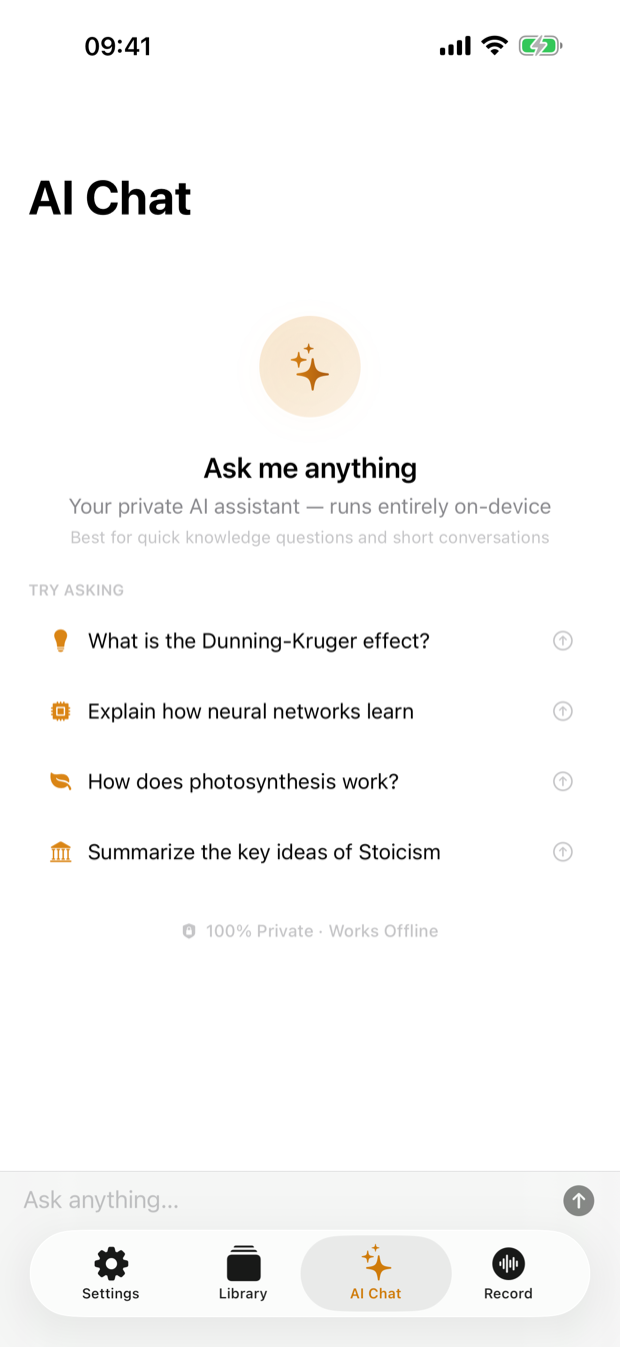
- Summarize a long one. Tap the sparkles AI button for a summary or a list of action items, generated on the phone. For a fifteen-minute brief from a client, that is often all you need before replying. See the AI assistant guide.
- Keep it properly. Export to PDF or Word for a project folder, Markdown for your notes, or plain text to paste into a reply. The export guide lists every format.
Voice notes with more than one voice
Some voice messages are not one person talking: someone passes the phone around, records a room, or forwards a snippet of a conversation. Speaker separation runs on imported files exactly as it does on your own recordings, so the transcript arrives split by voice. Name a speaker once and the same voice is labelled next time. The speaker diarization article explains what that can and cannot do, particularly when two people talk over each other.
Why on-device matters for this specific thing
Voice messages are, on average, the most personal audio on your phone. They are people's health, their money, their arguments and their plans, recorded in their own voice, sent to you and not to anyone else. Uploading them to a transcription service to save yourself nine minutes is a real decision, not a formality, and the sender is not there to be asked.
On-device transcription removes the decision. The audio does not leave the phone, there is no account holding a copy, and no retention policy to read. Nothing to opt out of later. The on-device versus cloud comparison makes the general case; for voice messages from friends and family it is close to the whole argument.
When the chat app's own transcript is enough
Some messaging apps now transcribe voice messages themselves, on the phone, for a list of languages you download. For a short message in a supported language, that is the fastest route and there is nothing to install. Its limits are scope rather than privacy: one message at a time, copy as the only export, no timestamps, no speaker names, no searchable library, and nothing for audio that arrived as a file rather than as a voice message. Three ways to transcribe voice messages on iPhone walks through those built-in options in detail before falling back to the share route, and Voice Memos transcription sets out the same boundary for Apple's own recorder.
A reasonable rule: use the built-in transcript for anything under a minute, and share anything longer, anything you might need again, or anything in a language the built-in option does not cover.
Frequently asked questions
How do I turn a voice message into text on iPhone?
Touch and hold the message in the chat app, open the iOS share sheet through Share or Forward, and choose a transcription app such as ThinkScribe. It imports the audio and transcribes it on the phone, then you read, search, summarize or export the text. Some chat apps also have their own built-in transcripts for short messages in supported languages.
Does transcribing a voice message send it to a server?
Not with an on-device app. ThinkScribe runs speech recognition on the iPhone itself, so the audio never leaves the device and the whole process works with no connection. With a cloud transcription service the audio is uploaded and processed on someone else's machine, which is worth knowing when the message was not yours to share.
Can I transcribe a very long voice message?
Yes. Long files are processed in chunks in the background, so a forty-minute voice note is fine; it just takes a little longer than a two-minute one. For anything that long, the one-tap summary and action items are usually the fastest way in, with the full transcript underneath when you need the exact words.
What audio formats do voice messages use?
It depends on the app. Voice notes from WhatsApp and Telegram are usually OGG, Signal voice messages are generally M4A, Voice Memos saves M4A, and audio attachments can be almost anything. MP3, M4A, AAC, WAV, AIFF, FLAC, CAF, OGG and Opus all import, so in practice you can share whatever arrives without converting it first.

