
AI Notes & Voice Typing
Voice recording, transcription, voice typing and AI notes in one fast, native app.
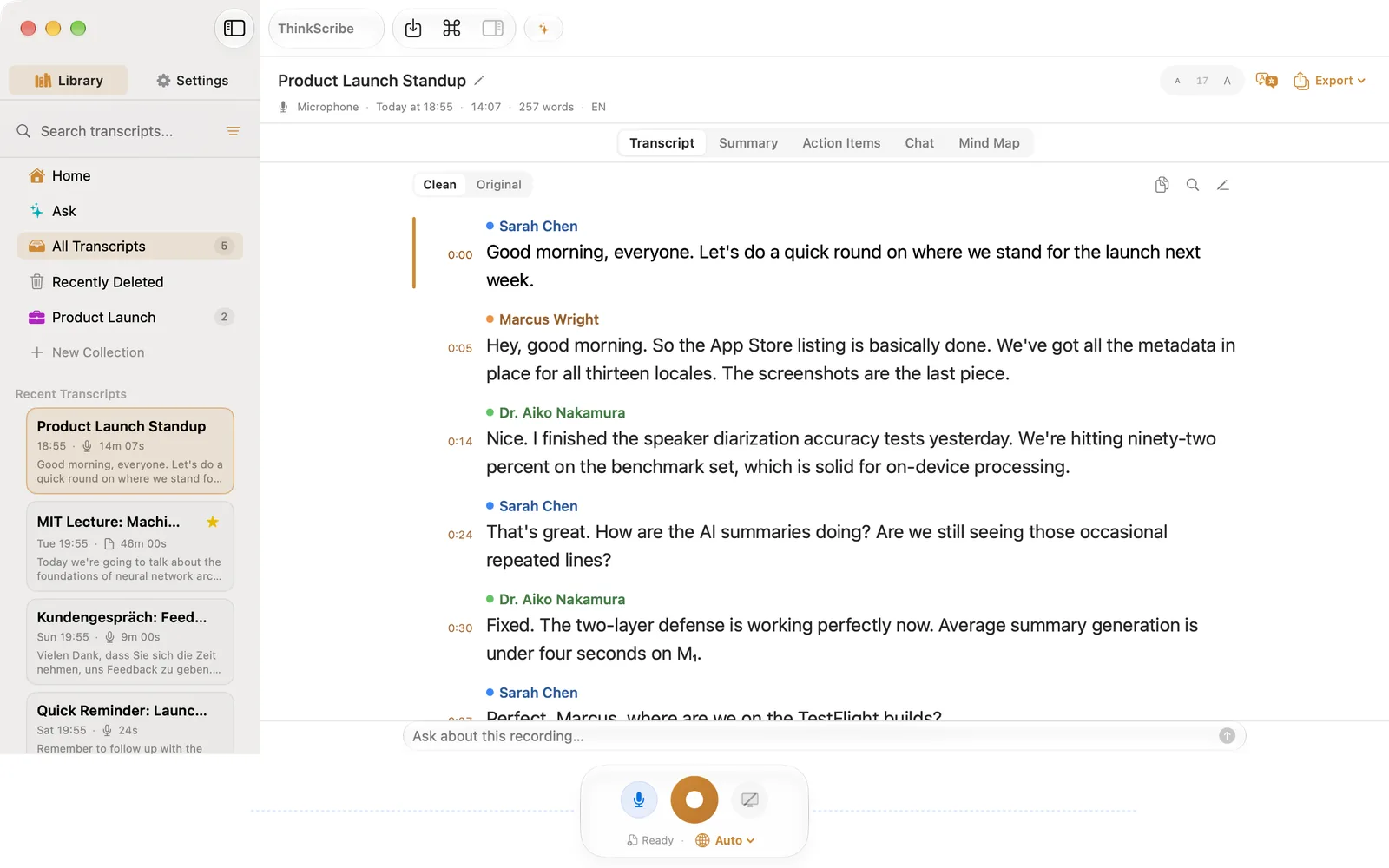
Record a meeting and walk out with the summary. Type with your voice in any app. Ask AI about what was said. Transcription works offline on your Mac, iPhone, iPad and Apple Watch, and your library stays in sync through your own iCloud.
Free to download50% off your first year
One purchase covers Mac, iPhone, iPad & Apple Watch.
- Never sent to us
- No account required
- No ads
- Transcription works offline
How it works
Hit record. Walk away with notes.
Capture a meeting, lecture, or call on Mac or iPhone, or drop in any audio file. Stop, and the full transcript is ready in moments.
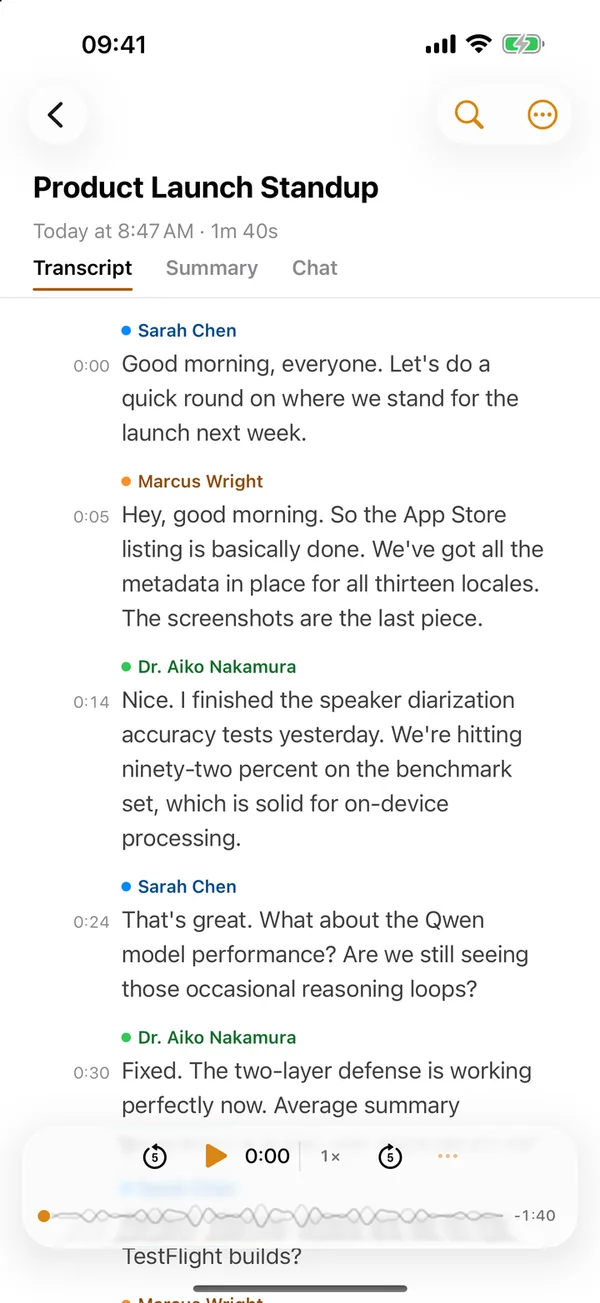
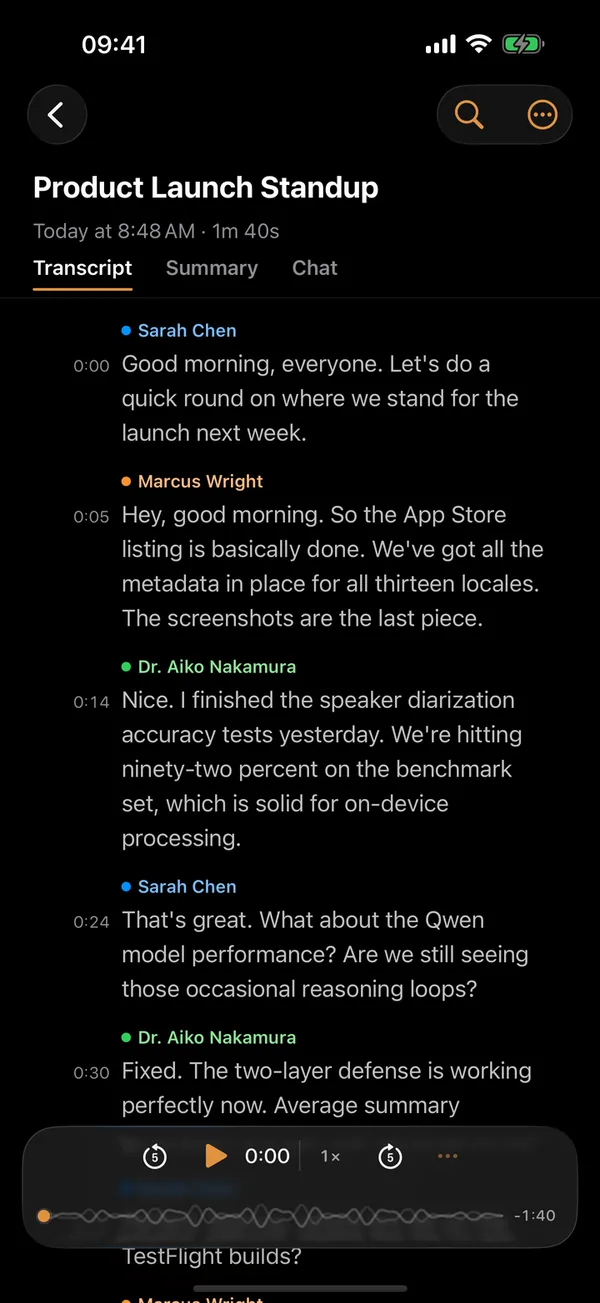
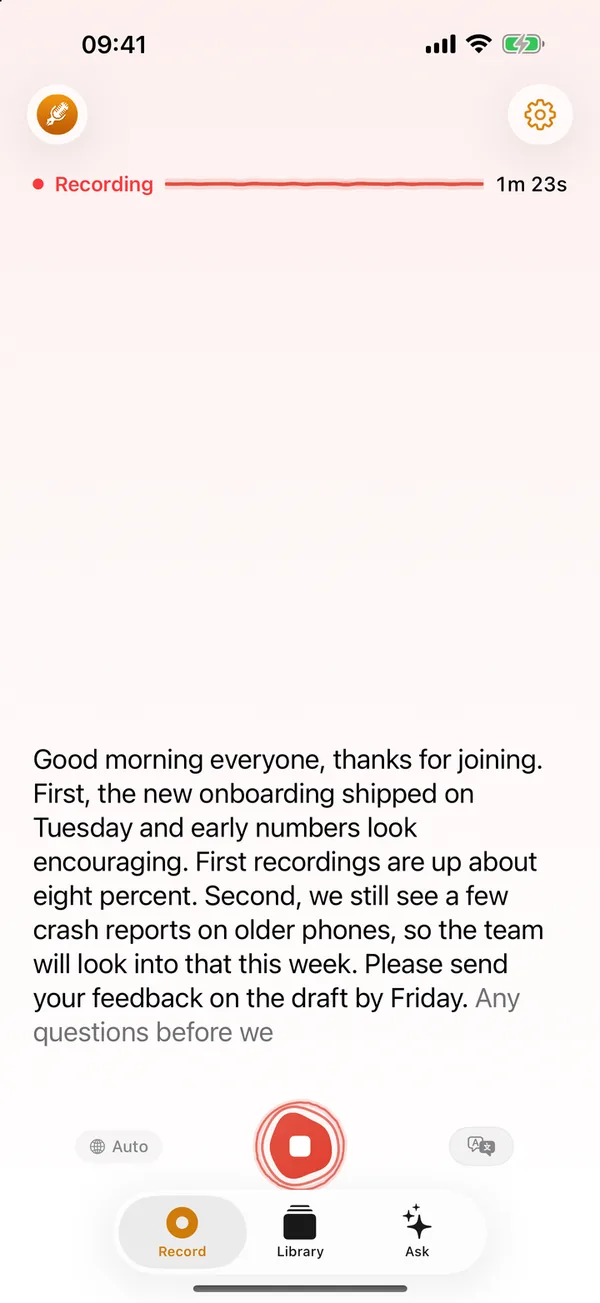 1Record
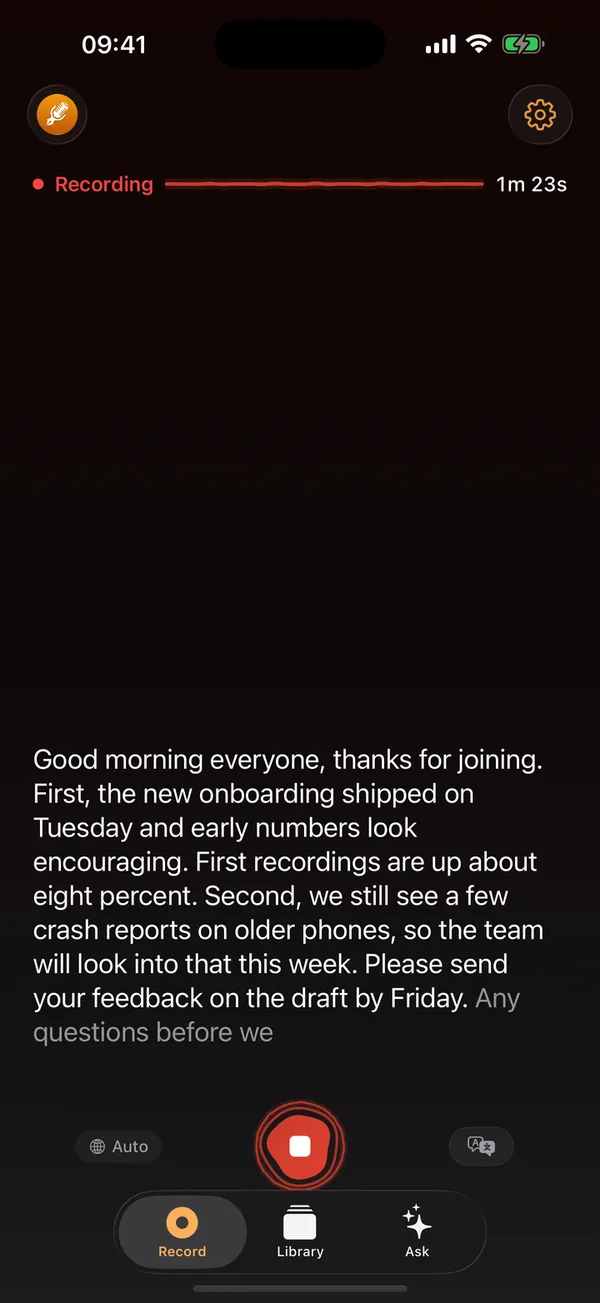
Read along as you record
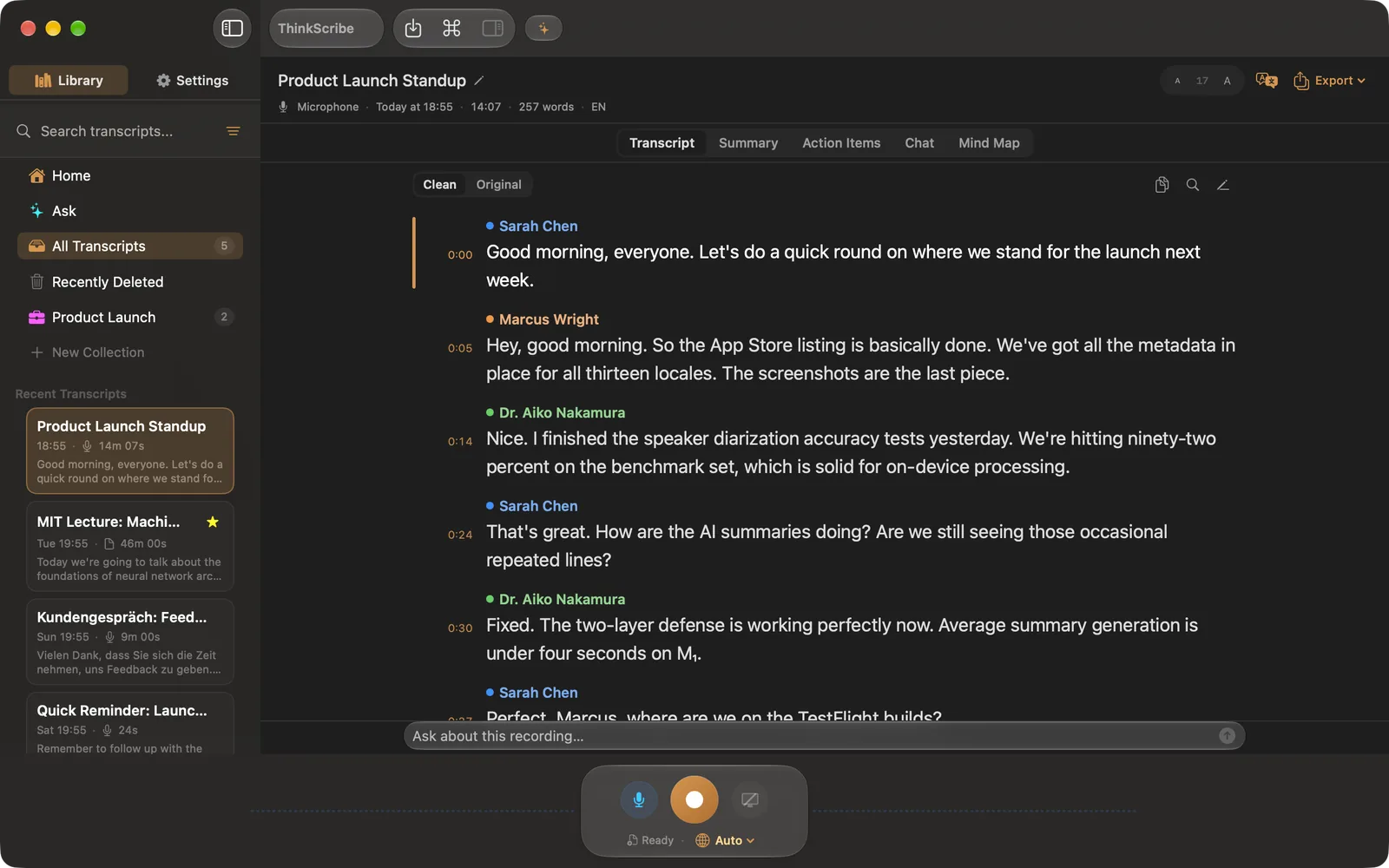
Your words appear while you speak. Moments after you stop, the transcript is ready, with who said what.
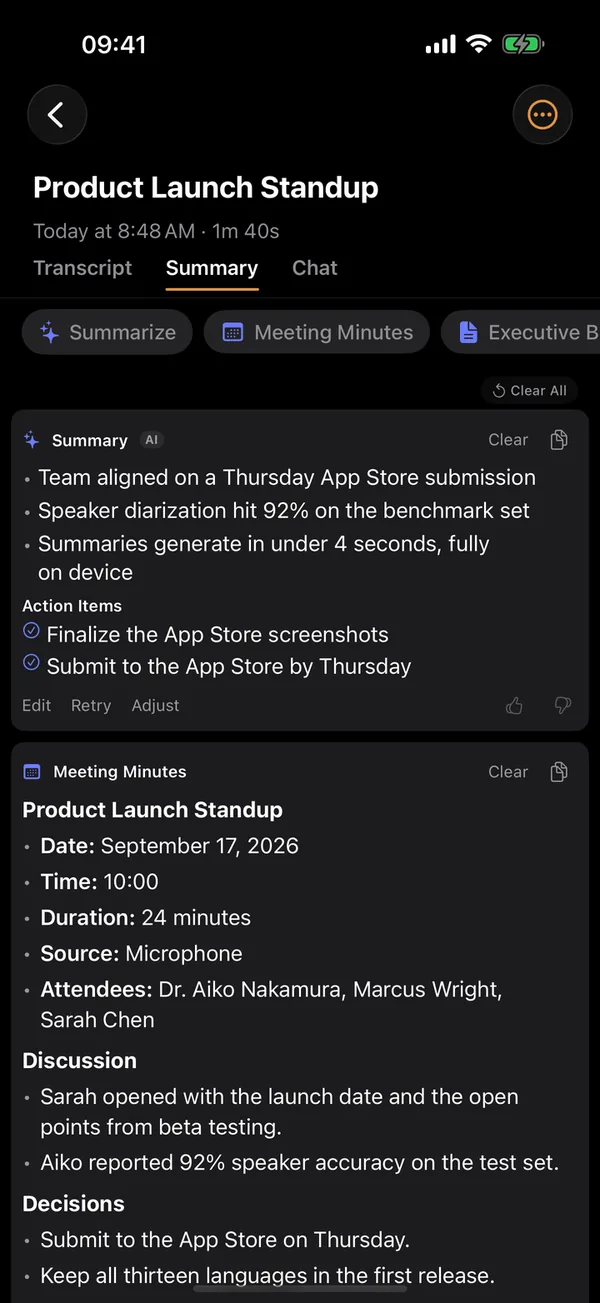
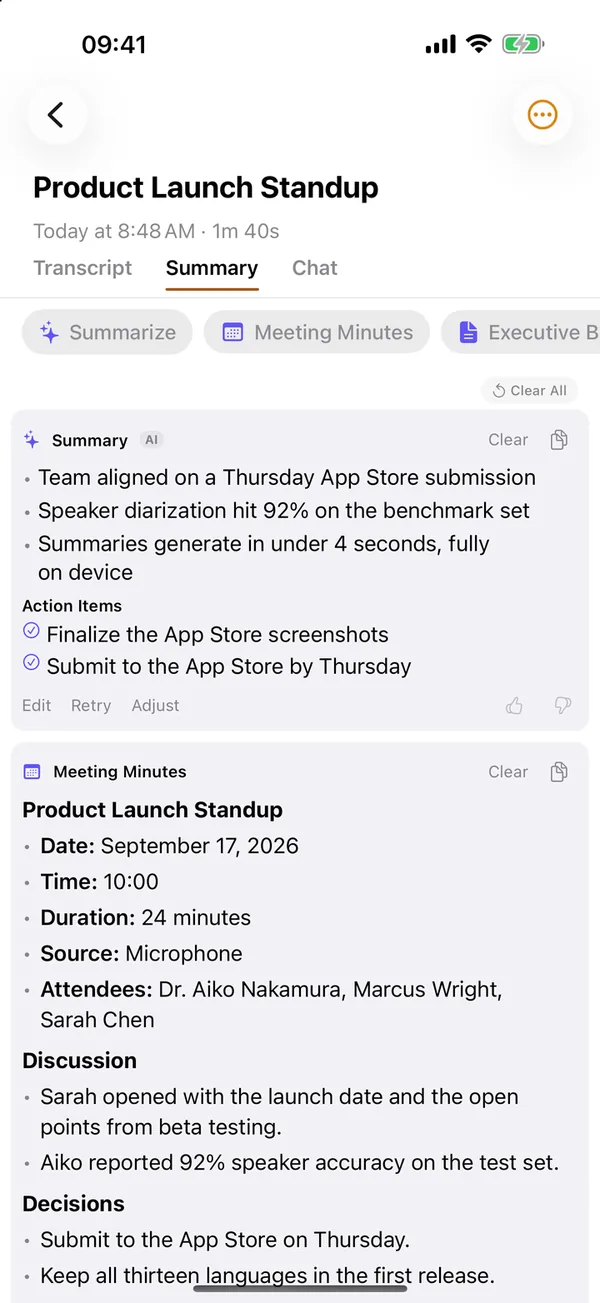 2Summarize
From talk to takeaways
One tap turns a recording into a summary, action items, meeting minutes or a mind map.
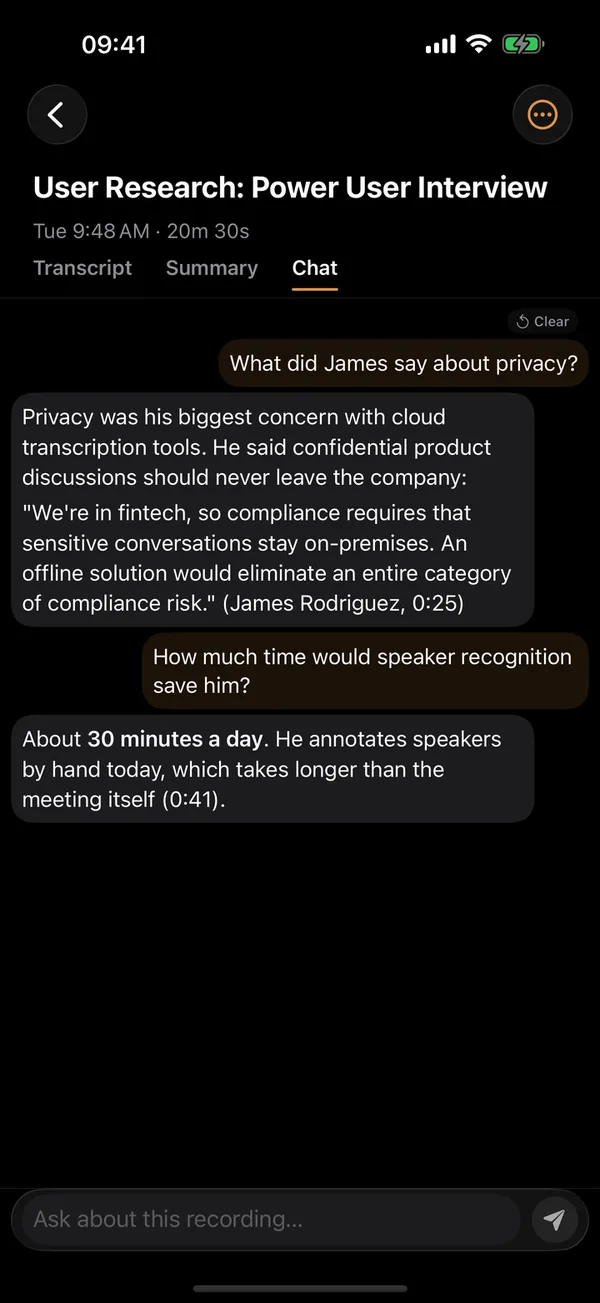
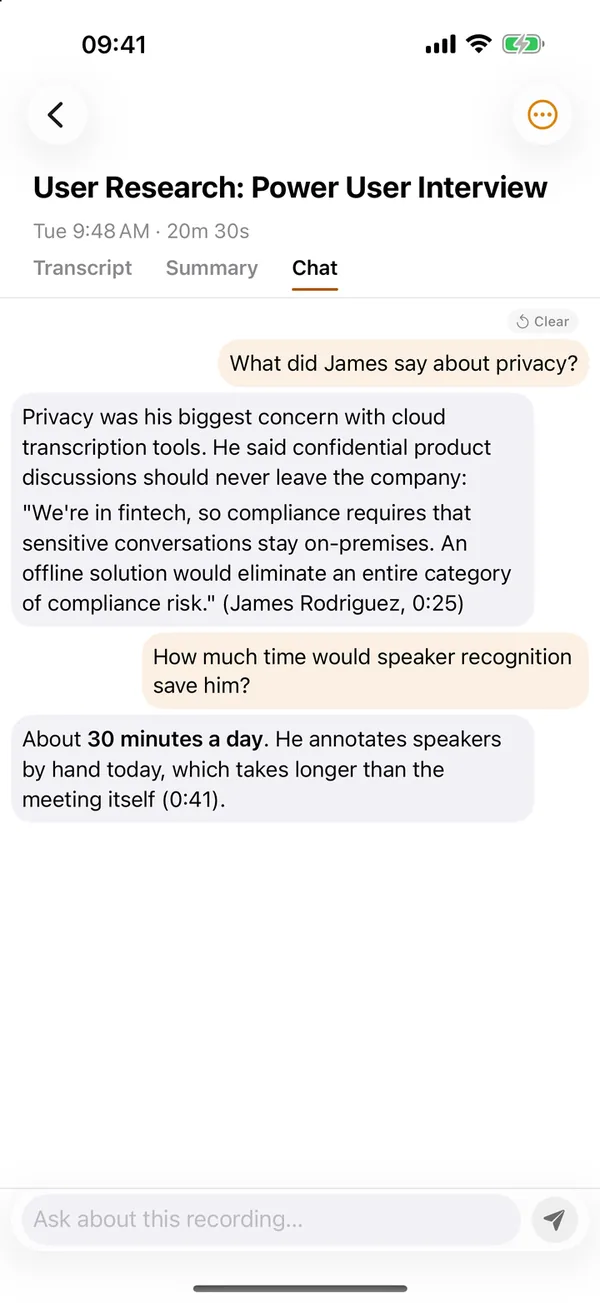 3Chat
3ChatChat with your recordings
Ask about what was said and get answers that point to the moment. Tap one to hear it.
Voice typing
Type with your voice right inside the apps you already use
Dictate into any app with the iOS keyboard or a Mac hotkey. Stop talking and the text lands at your cursor. Offline.
- Messages
- Notes
- Slack
- Notion
- Gmail
- Obsidian
Features
From speech to text to answers.
One app from the first word to the finished notes. Transcription runs on your device, with no per-minute fees.
AI notes
Summaries, action items, meeting minutes and mind maps, one tap after you stop.
Chat with your recordings
Chat with AI about any recording. Answers cite the exact lines. Tap one to jump the audio there.
Speaker recognition
Tells voices apart and remembers them between meetings. Name someone once and they stay named.
Translate a transcript
Read a transcript in another language, or follow a live translation as you record. Translation is provided by Apple.
Voice keyboard
Dictate into any app with the iOS keyboard or a Mac hotkey. Stop talking and the text lands at your cursor. Offline.
Mic and system audio
On Mac, capture your mic, the audio from Zoom or Teams, or both at once, with echo cancellation.
Import audio from anywhere
Share a file from WhatsApp, Telegram, Voice Memos, or Files and it transcribes in the background.
Seven export formats
TXT, SRT, VTT, JSON, Markdown, PDF, and DOCX. Summaries can go straight to Apple Notes.
Locked with Face ID
Lock the app with Face ID or Touch ID, so your recordings stay private on a shared device.
Use cases
What people use it for.
Record a meeting.
Walk out with the full transcript, summary and action items are one tap away.
Learn more →Dictate an email.
Talk naturally and the voice keyboard types it into any app. No connection needed.
Learn more →Record a lecture.
Searchable notes with speaker labels: gold the night before an exam.
Learn more →Transcribe an interview.
Labeled dialogue you can quote and cite without re-listening to the whole tape.
Learn more →Drop in a podcast.
Get the full transcript and pull out the quotes worth keeping.
Learn more →Work on a flight.
Transcription keeps working at 30,000 feet, with no connection at all.
Mac, iPhone, iPad and Apple Watch
Start on one device. Pick up on another.
One purchase covers every Apple device you own. Turn on sync and your transcripts, summaries, collections and speaker names follow you through your own iCloud, where we cannot see them.
Type with your voice, anywhere on iOS.
- A system-wide voice keyboard: dictate in any app with push-to-talk and AI rewrite.
- Import audio from WhatsApp, Voice Memos, or Files and it transcribes in the background.
- Ask AI about any recording, with answers that cite their source lines.
Capture on Apple Watch
Tap record on your wrist in a meeting or on a walk. The audio is sent to your iPhone on its own.
Transcribe on iPhone
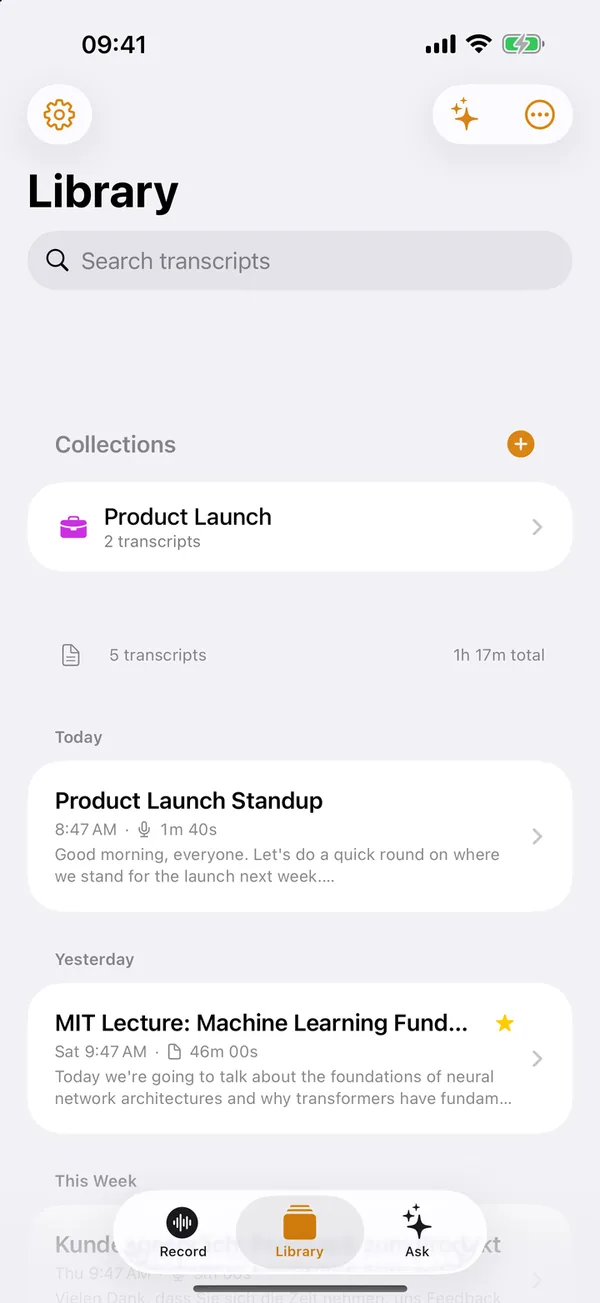
Your iPhone transcribes it in the background, names the speakers it already knows, and files it in your library.
Finish on your Mac
Open the same transcript on your Mac, ask AI about it, and export it as Markdown, PDF or DOCX.
Buy once, use everywhere. Sync is optional and off until you turn it on; audio stays on the device that recorded it unless you choose to sync it too.
Pricing
Straightforward pricing.
No per-minute charges ever. One subscription covers all your Apple devices.
Monthly
Flexible monthly plan
- Unlimited transcription
- All AI features
- All export formats
- Cancel anytime
Annual
50% OFF FIRST YEARBilled annually: $39.99 first year, then $79.99/year
- Everything in Monthly
- Save 33% vs. monthly
- 50% off your first year
- Best for regular use
Lifetime
Pay once. No subscription.
- All Pro features, no renewals
- No subscription, no renewals
- App updates included
- Works on all supported Apple devices
Cancel anytime. No commitment.
Subscriptions auto-renew. Cancel at least 24 hours before your renewal date. Works on Mac, iPhone, iPad, and Apple Watch.
Refunds are handled by Apple
Questions, answered.
Is my data really private?
ThinkScribe has no account, and your audio and transcripts are never sent to us. Transcription runs on your device. Features provided by Apple, such as Apple Intelligence, Translation and iCloud sync, are processed by Apple under Apple's privacy terms. The app sends us only crash reports and usage counts, never your audio, transcripts or any other content, and you can turn that off in Settings ▸ Privacy.
Does ThinkScribe work offline?
After the initial model download during setup, recording and transcription work without any internet connection. With the built-in ThinkScribe AI model, summaries work offline too.
Is there a one-time purchase instead of a subscription?
Yes. Lifetime is $199.99: one payment, no subscription. It permanently unlocks all Pro features of the ThinkScribe apps on supported Apple devices (Mac, iPhone, iPad, Apple Watch), including updates to those apps. If we ever release a major new product line, such as hardware companions or a separate next-generation app, it may be sold separately, but everything included in your Lifetime purchase stays yours.
What's the difference between Free and Pro?
ThinkScribe is free to download, and you can try every Pro feature a few times for free. Pro removes the limits: monthly ($9.99/mo), annual ($79.99/year), or a one-time Lifetime purchase ($199.99). New subscribers get 50% off the first year ($39.99). One purchase works on all your Apple devices.
Can I record system audio from Zoom, Teams, etc.?
Yes. On Mac, ThinkScribe records the sound of the apps you pick, with no extra audio driver to install. You can record system audio, microphone audio, or both simultaneously with echo cancellation, perfect for capturing both sides of a meeting.
Does one subscription work on all devices?
Yes. ThinkScribe uses universal product IDs, subscribe once and your Pro access works on Mac, iPhone, iPad, and Apple Watch automatically through your Apple ID.
Do my transcripts sync between my iPhone, iPad and Mac?
Yes, when you want them to. Turn on sync in Settings and your transcripts, summaries, collections and speaker names sync through your own iCloud account, which we cannot read. Sync is off by default, and audio recordings stay on the device that made them unless you also turn on audio sync.
What languages are supported?
ThinkScribe transcribes 90+ languages. The language menu lists 28, or the app can detect the language for you; some languages need an optional download. The app itself is available in 13 languages, including English, Spanish, French, German, Japanese and Chinese.
Can I use ThinkScribe on an Intel Mac?
Unfortunately, no. ThinkScribe requires Apple Silicon (M1 or later) for the on-device machine learning capabilities. Intel Macs do not have the Neural Engine required for fast on-device transcription.
Give it a try.
Download the app, try every Pro feature free, and get 50% off your first year.


No account to create. Your recordings are never sent to us.